Getting Started to PIR sensor
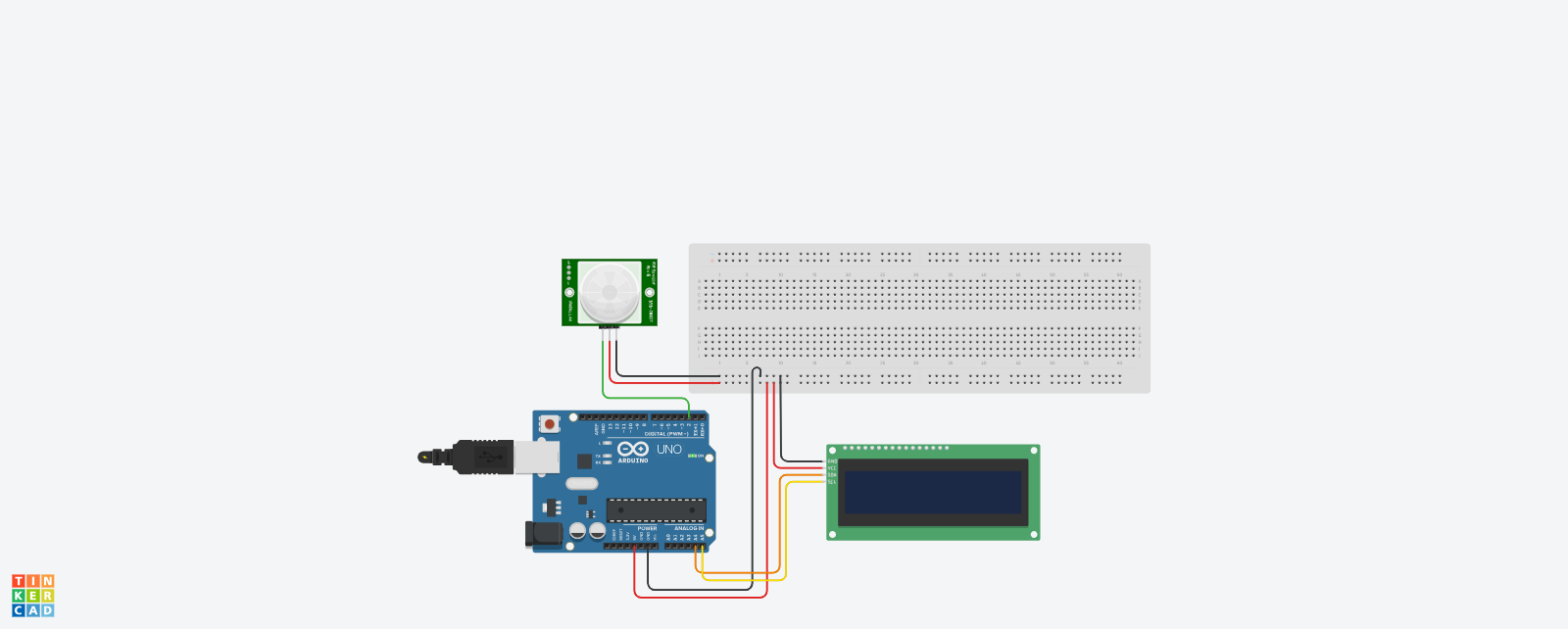
Here's a complete guide and Arduino code for connecting a PIR (Passive Infrared) sensor to an LCD display using an Arduino, so that the LCD shows "Motion Detected" when motion is sensed.
Devices & Components
1
Arduino Uno Rev3
2
Male/Male Jumper Wires
1
I2C LCD display
1
PIR Sensor
7
jumper wires male to female
Hardware & Tools
1
Breadboard, 830 Tie Points
Software & Tools

Arduino IDE
Project description
Code
PIR sensor code
Downloadable files
This is the circuit diagram
Epic Hillar-Turing.png
Comments
Only logged in users can leave comments