UNO Q + Modulino LED Matrix - Text & Gallery
Type any text in the browser and watch it scroll across the Modulino LED matrix, or pick from 14 static icons and 26 looping animations at the click of a button.
Devices & Components
1
Modulino™ LED Matrix
1
Arduino® UNO™ Q 2GB
Software & Tools
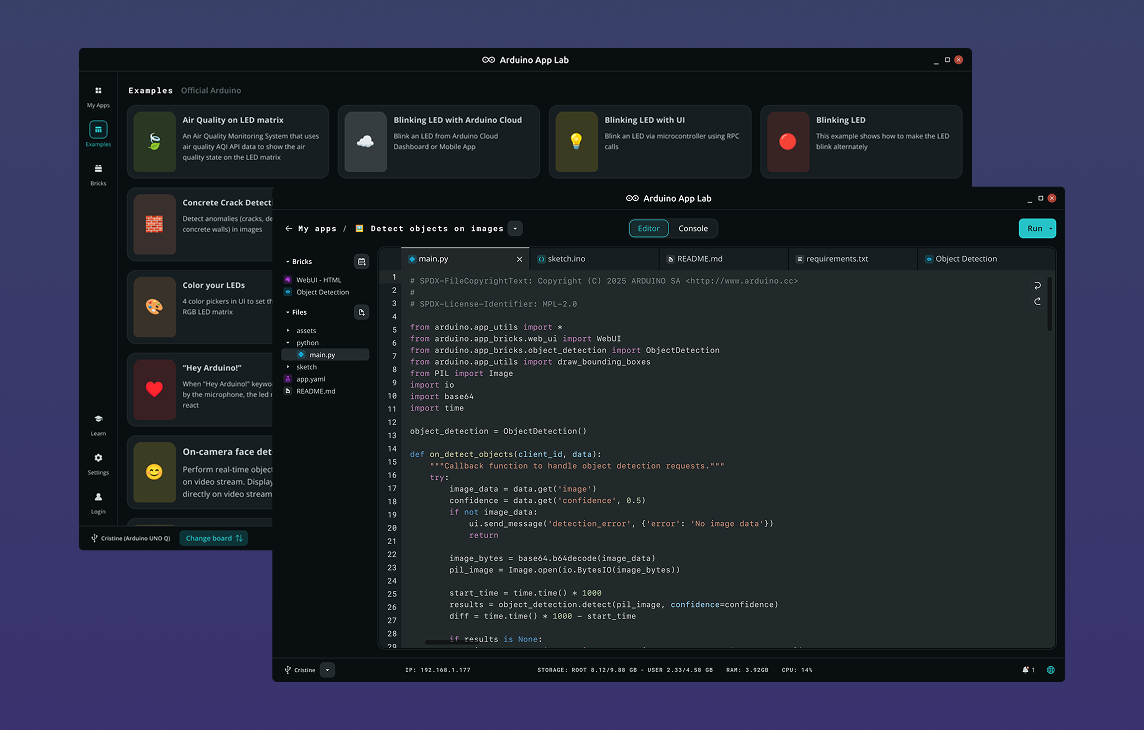
Arduino App Lab
Project description
Code
main
python
Python main file
1import json
2import os
3
4from arduino.app_utils import App, Bridge
5from arduino.app_bricks.web_ui import WebUI
6
7_ui_dir = os.path.join(os.path.dirname(os.path.abspath(__file__)), "..", "ui")
8ui = WebUI(assets_dir_path=_ui_dir)
9
10state = {"mode": 0, "selected": -1, "text": ""}
11
12
13def _call_mcu(method, *args):
14    try:
15        return json.loads(Bridge.call(method, *args))
16    except Exception as exc:
17        print(f"[bridge] {method} error: {exc}")
18        return None
19
20
21def _broadcast(new_state, room=None):
22    if new_state and "error" not in new_state:
23        state.update(new_state)
24        ui.send_message("state_update", state, room=room)
25
26
27def on_connect(sid):
28    _broadcast(_call_mcu("get_state"), room=sid)
29
30
31def on_show_item(sid, data):
32    _broadcast(_call_mcu("show_item", data["index"]))
33
34
35def on_scroll_text(sid, data):
36    text = data.get("text", "")[:64]
37    if not text:
38        return
39    # Pack 8 ASCII chars per call (4 per int arg) to reduce Bridge round-trips.
40    # Fewer calls means the total transfer stays well within the 10 s RPC timeout
41    # even for the maximum 64-char input (8 calls + 1 trigger = 9 total).
42    for chunk_start in range(0, len(text), 8):
43        pos = chunk_start // 8
44        chunk = (text[chunk_start : chunk_start + 8]).ljust(8, "\x00")
45        v1 = sum((ord(chunk[i]) & 0x7F) << (8 * i) for i in range(4))
46        v2 = sum((ord(chunk[4 + i]) & 0x7F) << (8 * i) for i in range(4))
47        _call_mcu("text_op", pos, v1, v2)
48    _broadcast(_call_mcu("text_op", -1, len(text), 0))
49
50
51def on_stop(sid, data):
52    _broadcast(_call_mcu("stop"))
53
54
55ui.on_connect(on_connect)
56ui.on_message("show_item",    on_show_item)
57ui.on_message("scroll_text",  on_scroll_text)
58ui.on_message("stop",         on_stop)
59
60App.run()
sketch
cpp
Arduino sketch
1#include <Arduino_RouterBridge.h>
2#include "Modulino_LED_Matrix.h"
3#include "LEDMatrixGallery.h"
4
5// NOTE: ModulinoLEDMatrix uses Wire1 and initialises itself in begin().
6// Do NOT call Modulino.begin() here.
7
8ModulinoLEDMatrix matrix;
9
10volatile int anim_mode  = 0;  // 0 = idle/static icon, 1 = gallery anim, 2 = scroll text
11int selected_item       = -1; // -1=none, 0-13=icon, 14-39=animation, 40=scroll text
12String scroll_text_val  = "";
13
14unsigned long last_frame_ms = 0;
15
16const int NUM_ICONS = 14;
17const int NUM_ANIMS = 26;
18
19// Text buffer filled via rpc_text_op; scrolled non-blocking in loop().
20// 8 ASCII chars are packed per call (4 per int arg) to minimise Bridge
21// round-trips and stay well within the 10 s RPC timeout.
22char text_buf[65];
23int scroll_x = 12;  // current horizontal scroll offset; 12 = just off-screen right
24
25// ── Canvas integration ───────────────────────────────────────────────────────
26// To add pixel-drawing from the modulino-led-matrix-pixel-canvas project,
27// insert the following variable declaration here:
28//
29//   bool pixels[8][12];
30//
31// ────────────────────────────────────────────────────────────────────────────
32
33String buildState() {
34  String json = "{\"mode\": " + String(anim_mode) +
35                ", \"selected\": " + String(selected_item) +
36                ", \"text\": \"" + scroll_text_val + "\"}";
37  return json;
38}
39
40// ── Canvas integration ───────────────────────────────────────────────────────
41// To add pixel-drawing from the modulino-led-matrix-pixel-canvas project,
42// insert the redrawCanvas() function here:
43//
44//   void redrawCanvas() {
45//     for (int y = 0; y < 8; y++) {
46//       for (int x = 0; x < 12; x++) {
47//         if (pixels[y][x]) matrix.set(x, y, 255, 255, 255);
48//         else              matrix.set(x, y, 0,   0,   0  );
49//       }
50//     }
51//     matrix.endDraw();
52//   }
53//
54// ────────────────────────────────────────────────────────────────────────────
55
56void showIcon(int idx) {
57  switch (idx) {
58    case  0: matrix.setFrame(LEDMATRIX_BLUETOOTH);      break;
59    case  1: matrix.setFrame(LEDMATRIX_BOOTLOADER_ON);  break;
60    case  2: matrix.setFrame(LEDMATRIX_CHIP);           break;
61    case  3: matrix.setFrame(LEDMATRIX_CLOUD_WIFI);     break;
62    case  4: matrix.setFrame(LEDMATRIX_DANGER);         break;
63    case  5: matrix.setFrame(LEDMATRIX_EMOJI_BASIC);    break;
64    case  6: matrix.setFrame(LEDMATRIX_EMOJI_HAPPY);    break;
65    case  7: matrix.setFrame(LEDMATRIX_EMOJI_SAD);      break;
66    case  8: matrix.setFrame(LEDMATRIX_HEART_BIG);      break;
67    case  9: matrix.setFrame(LEDMATRIX_HEART_SMALL);    break;
68    case 10: matrix.setFrame(LEDMATRIX_LIKE);           break;
69    case 11: matrix.setFrame(LEDMATRIX_MUSIC_NOTE);     break;
70    case 12: matrix.setFrame(LEDMATRIX_RESISTOR);       break;
71    case 13: matrix.setFrame(LEDMATRIX_UNO);            break;
72  }
73}
74
75// ── Adding a custom icon designed in Pixel Canvas ────────────────────────────
76//
77// 1. In the modulino-led-matrix-pixel-canvas project, draw your icon and click
78//    Copy to copy the exported array from the textarea below the canvas.
79//    The export is a const uint8_t[16] array — 2 bytes per row, 8 rows.
80//    byte[row*2+0]: cols 0-7  (col 0 = bit 7, MSB = leftmost)
81//    byte[row*2+1]: cols 8-11 (col 8 = bit 7, lower nibble unused)
82//
83// 2. Paste the array above showIcon() and rename it:
84//
85//      const uint8_t MY_ICON[] = {
86//        0b00000000, 0b00000000,  // row 0
87//        0b01111110, 0b00000000,  // row 1
88//        // ...
89//      };
90//
91//    Add this helper once (before showIcon). It bridges the row-major export
92//    format to matrix.set() calls (the gallery's uint32_t[3] setFrame format
93//    is column-major and cannot be used directly with the pixel canvas export):
94//
95//      void showUInt8Icon(const uint8_t* p) {
96//        for (int y = 0; y < 8; y++) {
97//          for (int x = 0; x < 8; x++)
98//            matrix.set(x, y, (p[y*2]   >> (7-x)) & 1 ? 255 : 0, 0, 0);
99//          for (int x = 8; x < 12; x++)
100//            matrix.set(x, y, (p[y*2+1] >> (15-x)) & 1 ? 255 : 0, 0, 0);
101//        }
102//        matrix.endDraw();
103//      }
104//
105// 3. Increment NUM_ICONS at the top of this file:
106//      const int NUM_ICONS = 15;   // was 14
107//
108// 4. Add a new case to showIcon() (before the closing brace):
109//      case 14: showUInt8Icon(MY_ICON); break;
110//
111// 5. Add the icon label to the ICONS array in ui/app.js so the button appears:
112//      var ICONS = [ "Bluetooth", ..., "UNO", "My Icon" ];
113//      (the array must have exactly NUM_ICONS entries)
114//
115// ─────────────────────────────────────────────────────────────────────────────
116
117void startAnimation(int idx) {
118  switch (idx) {
119    case  0: matrix.setSequence(LEDMATRIX_ANIMATION_STARTUP);              break;
120    case  1: matrix.setSequence(LEDMATRIX_ANIMATION_TETRIS_INTRO);         break;
121    case  2: matrix.setSequence(LEDMATRIX_ANIMATION_ATMEGA);               break;
122    case  3: matrix.setSequence(LEDMATRIX_ANIMATION_LED_BLINK_HORIZONTAL); break;
123    case  4: matrix.setSequence(LEDMATRIX_ANIMATION_LED_BLINK_VERTICAL);   break;
124    case  5: matrix.setSequence(LEDMATRIX_ANIMATION_ARROWS_COMPASS);       break;
125    case  6: matrix.setSequence(LEDMATRIX_ANIMATION_AUDIO_WAVEFORM);       break;
126    case  7: matrix.setSequence(LEDMATRIX_ANIMATION_BATTERY);              break;
127    case  8: matrix.setSequence(LEDMATRIX_ANIMATION_BOUNCING_BALL);        break;
128    case  9: matrix.setSequence(LEDMATRIX_ANIMATION_BUG);                  break;
129    case 10: matrix.setSequence(LEDMATRIX_ANIMATION_CHECK);                break;
130    case 11: matrix.setSequence(LEDMATRIX_ANIMATION_CLOUD);                break;
131    case 12: matrix.setSequence(LEDMATRIX_ANIMATION_DOWNLOAD);             break;
132    case 13: matrix.setSequence(LEDMATRIX_ANIMATION_DVD);                  break;
133    case 14: matrix.setSequence(LEDMATRIX_ANIMATION_HEARTBEAT_LINE);       break;
134    case 15: matrix.setSequence(LEDMATRIX_ANIMATION_HEARTBEAT);            break;
135    case 16: matrix.setSequence(LEDMATRIX_ANIMATION_INFINITY_LOOP_LOADER); break;
136    case 17: matrix.setSequence(LEDMATRIX_ANIMATION_LOAD_CLOCK);           break;
137    case 18: matrix.setSequence(LEDMATRIX_ANIMATION_LOAD);                 break;
138    case 19: matrix.setSequence(LEDMATRIX_ANIMATION_LOCK);                 break;
139    case 20: matrix.setSequence(LEDMATRIX_ANIMATION_NOTIFICATION);         break;
140    case 21: matrix.setSequence(LEDMATRIX_ANIMATION_OPENSOURCE);           break;
141    case 22: matrix.setSequence(LEDMATRIX_ANIMATION_SPINNING_COIN);        break;
142    case 23: matrix.setSequence(LEDMATRIX_ANIMATION_TETRIS);               break;
143    case 24: matrix.setSequence(LEDMATRIX_ANIMATION_WIFI_SEARCH);          break;
144    case 25: matrix.setSequence(LEDMATRIX_ANIMATION_HOURGLASS);            break;
145  }
146  matrix.nextFrame(); // render frame 0 immediately; populates getCurrentDuration()
147  last_frame_ms = millis();
148}
149
150String rpc_get_state() {
151  return buildState();
152}
153
154String rpc_show_item(int index) {
155  anim_mode = 0;
156  index = constrain(index, 0, NUM_ICONS + NUM_ANIMS - 1);
157  selected_item = index;
158  scroll_text_val = "";
159  if (index < NUM_ICONS) {
160    showIcon(index);
161    // anim_mode stays 0 — icons are static
162  } else {
163    startAnimation(index - NUM_ICONS);
164    anim_mode = 1;
165  }
166  return buildState();
167}
168
169// Combined RPC for text transfer and scroll trigger.
170// pos >= 0 : store 8 ASCII chars at text_buf[pos*8]; v1 holds chars 0-3
171//            packed as (c0 | c1<<8 | c2<<16 | c3<<24), v2 holds chars 4-7.
172// pos == -1: null-terminate at v1 and start scrolling immediately.
173String rpc_text_op(int pos, int v1, int v2) {
174  if (pos < 0) {
175    int length = constrain(v1, 1, 64);
176    text_buf[length] = '\0';
177    scroll_text_val = String(text_buf);
178    selected_item = 40;
179    scroll_x = 12;    // reset: text enters from right edge
180    anim_mode = 2;
181  } else {
182    int base = constrain(pos, 0, 7) * 8;
183    text_buf[base + 0] = (char)((v1 >>  0) & 0x7F);
184    text_buf[base + 1] = (char)((v1 >>  8) & 0x7F);
185    text_buf[base + 2] = (char)((v1 >> 16) & 0x7F);
186    text_buf[base + 3] = (char)((v1 >> 24) & 0x7F);
187    text_buf[base + 4] = (char)((v2 >>  0) & 0x7F);
188    text_buf[base + 5] = (char)((v2 >>  8) & 0x7F);
189    text_buf[base + 6] = (char)((v2 >> 16) & 0x7F);
190    text_buf[base + 7] = (char)((v2 >> 24) & 0x7F);
191  }
192  return buildState();
193}
194
195String rpc_stop() {
196  anim_mode = 0;
197  selected_item = -1;
198  scroll_text_val = "";
199  matrix.clear();
200  matrix.endDraw();
201  return buildState();
202}
203
204// ── Canvas integration ───────────────────────────────────────────────────────
205// To add pixel-drawing from the modulino-led-matrix-pixel-canvas project,
206// insert rpc_toggle_pixel and rpc_clear_canvas here:
207//
208//   String rpc_toggle_pixel(int x, int y) {
209//     anim_mode = 0; selected_item = -1;
210//     x = constrain(x, 0, 11); y = constrain(y, 0, 7);
211//     pixels[y][x] = !pixels[y][x];
212//     redrawCanvas();
213//     return buildState();
214//   }
215//
216//   String rpc_clear_canvas() {
217//     anim_mode = 0; selected_item = -1;
218//     for (int y = 0; y < 8; y++)
219//       for (int x = 0; x < 12; x++) pixels[y][x] = false;
220//     matrix.clear(); matrix.endDraw();
221//     return buildState();
222//   }
223//
224// ────────────────────────────────────────────────────────────────────────────
225
226void setup() {
227  Bridge.begin();
228  matrix.begin();
229  matrix.textFont(Font_5x7);  // required for text() to render characters
230
231  Bridge.provide("get_state",  rpc_get_state);
232  Bridge.provide("show_item",  rpc_show_item);
233  Bridge.provide("text_op",    rpc_text_op);
234  Bridge.provide("stop",       rpc_stop);
235
236  // ── Canvas integration ────────────────────────────────────────────────────
237  // Adding pixel-drawing increases the provide count beyond 4. To stay within
238  // the Bridge limit, remove one of the existing RPCs or split into two
239  // sketches (as in the modulino-led-matrix-pixel-canvas project).
240  //   Bridge.provide("toggle_pixel", rpc_toggle_pixel);
241  //   Bridge.provide("clear_canvas", rpc_clear_canvas);
242  // ─────────────────────────────────────────────────────────────────────────
243}
244
245void loop() {
246  if (anim_mode == 0) return;
247  unsigned long now = millis();
248  uint32_t dur = (anim_mode == 1) ? matrix.getCurrentDuration() : 80;
249  if (dur < 50) dur = 50;
250  if (now - last_frame_ms < dur) return;
251  last_frame_ms = now;
252
253  if (anim_mode == 1) {
254    matrix.nextFrame();
255  } else {
256    // anim_mode == 2: non-blocking text scroll — one column per frame.
257    // endText(SCROLL_LEFT) is NOT used because it calls delay() in a loop
258    // and blocks the Bridge thread for the entire scroll duration.
259    int fontWidth       = matrix.textFontWidth();
260    int textPixelWidth  = (int)strlen(text_buf) * fontWidth;
261
262    // Clear the canvas buffer without an extra hardware write, then
263    // render the text at the current offset (clipped by the library).
264    matrix.ArduinoGraphics::clear();
265    matrix.stroke(255, 255, 255);
266    matrix.text(text_buf, scroll_x, 0);
267    matrix.endDraw();
268
269    scroll_x--;
270    if (scroll_x < -textPixelWidth) {
271      scroll_x = 12;  // loop: text re-enters from the right
272    }
273  }
274}
index
markup
HTML file
1<!DOCTYPE html> 2<html lang="en"> 3<head> 4 <meta charset="UTF-8" /> 5 <meta name="viewport" content="width=device-width, initial-scale=1.0" /> 6 <title>Modulino LED Matrix – Text & Gallery</title> 7 <link rel="stylesheet" href="styles.css" /> 8</head> 9<body> 10 <header> 11 <h1>📺 Modulino LED Matrix – Text & Gallery</h1> 12 <span id="status" class="status connecting">Connecting…</span> 13 </header> 14 15 <main> 16 <section class="card"> 17 <h2>Scroll Text</h2> 18 <div class="text-row"> 19 <input type="text" id="text-input" maxlength="64" placeholder="Type something…" /> 20 <button class="btn" id="scroll-btn">Scroll</button> 21 <button class="btn danger" id="stop-btn">Stop</button> 22 </div> 23 </section> 24 25 <section class="card"> 26 <h2>Icons</h2> 27 <div class="gallery-grid" id="icons-grid"></div> 28 </section> 29 30 <section class="card"> 31 <h2>Animations</h2> 32 <div class="gallery-grid" id="animations-grid"></div> 33 </section> 34 </main> 35 36 <script src="https://cdn.socket.io/4.7.5/socket.io.min.js"></script> 37 <script src="app.js"></script> 38</body> 39</html>
app
js
JS file
1var socket = io();
2
3var statusEl   = document.getElementById("status");
4var textInput  = document.getElementById("text-input");
5var scrollBtn  = document.getElementById("scroll-btn");
6var stopBtn    = document.getElementById("stop-btn");
7var iconsGrid  = document.getElementById("icons-grid");
8var animsGrid  = document.getElementById("animations-grid");
9
10var ICONS = [
11  "Bluetooth", "Bootloader", "Chip", "Cloud WiFi",
12  "Danger", "😐 Neutral", "😊 Happy", "😢 Sad",
13  "❤️ Heart", "♡ Small Heart", "👍 Like", "🎵 Music",
14  "Resistor", "UNO"
15];
16
17var ANIMATIONS = [
18  "Startup", "Tetris Intro", "ATmega", "Blink H", "Blink V",
19  "Compass", "Waveform", "Battery", "Bounce", "Bug",
20  "Check ✓", "Cloud", "Download", "DVD", "Heartbeat",
21  "Heartbeat 2", "Infinity", "Clock", "Loading", "Lock",
22  "Notification", "Open Source", "Coin", "Tetris", "WiFi", "Hourglass"
23];
24
25// Index 40 is reserved for scroll-text mode (no button)
26var galleryBtns = [];
27
28// Build icon buttons
29ICONS.forEach(function (name, i) {
30  var btn = document.createElement("button");
31  btn.className = "gallery-btn";
32  btn.textContent = name;
33  btn.addEventListener("click", function () {
34    socket.emit("show_item", { index: i });
35  });
36  iconsGrid.appendChild(btn);
37  galleryBtns[i] = btn;
38});
39
40// Build animation buttons
41ANIMATIONS.forEach(function (name, i) {
42  var btn = document.createElement("button");
43  btn.className = "gallery-btn";
44  btn.textContent = "▶ " + name;
45  btn.addEventListener("click", function () {
46    socket.emit("show_item", { index: ICONS.length + i });
47  });
48  animsGrid.appendChild(btn);
49  galleryBtns[ICONS.length + i] = btn;
50});
51
52// Connection status
53socket.on("connect",       function () { statusEl.className = "status connected";    statusEl.textContent = "● Connected";    });
54socket.on("disconnect",    function () { statusEl.className = "status disconnected"; statusEl.textContent = "● Disconnected"; });
55socket.on("connect_error", function () { statusEl.className = "status connecting";   statusEl.textContent = "Connecting…";    });
56
57socket.on("state_update", function (data) {
58  if (data) applyState(data);
59});
60
61function applyState(state) {
62  // Restore the text input value if scroll text is active
63  if (state.selected === 40 && state.text) {
64    textInput.value = state.text;
65  }
66
67  // Highlight the active gallery button (selected 0–39); clear all others
68  galleryBtns.forEach(function (btn, i) {
69    btn.classList.toggle("active", i === state.selected);
70  });
71}
72
73// Scroll text
74scrollBtn.addEventListener("click", function () {
75  var text = textInput.value.trim();
76  if (!text) return;
77  socket.emit("scroll_text", { text: text });
78});
79
80// Allow Enter key to trigger scroll
81textInput.addEventListener("keydown", function (e) {
82  if (e.key === "Enter") scrollBtn.click();
83});
84
85// Stop
86stopBtn.addEventListener("click", function () {
87  socket.emit("stop", {});
88});
styles
css
Style file
1:root {
2  --bg:      #0f1117;
3  --surface: #1c1f2a;
4  --border:  #2e3244;
5  --accent:  #4fa3e0;
6  --text:    #e2e8f0;
7  --muted:   #8892a4;
8  --green:   #22c55e;
9  --red:     #ef4444;
10  --radius:  10px;
11}
12
13* { box-sizing: border-box; margin: 0; padding: 0; }
14
15body {
16  font-family: 'Segoe UI', system-ui, sans-serif;
17  background: var(--bg);
18  color: var(--text);
19  min-height: 100vh;
20  padding: 1rem;
21}
22
23header {
24  display: flex;
25  flex-direction: column;
26  align-items: center;
27  gap: 0.5rem;
28  margin-bottom: 1.5rem;
29  text-align: center;
30}
31
32header h1 { font-size: 1.35rem; letter-spacing: -0.02em; }
33
34.status {
35  font-size: 0.8rem;
36  font-weight: 600;
37  padding: 0.25rem 0.75rem;
38  border-radius: 999px;
39  letter-spacing: 0.04em;
40  text-transform: uppercase;
41}
42
43.status.connected    { background: var(--green); color: #fff; }
44.status.disconnected { background: var(--red);   color: #fff; }
45.status.connecting   { background: var(--muted); color: #fff; }
46
47main { display: flex; flex-direction: column; gap: 1.25rem; }
48
49.card {
50  background: var(--surface);
51  border: 1px solid var(--border);
52  border-radius: var(--radius);
53  padding: 1.25rem 1.5rem;
54}
55
56.card h2 {
57  font-size: 0.95rem;
58  font-weight: 600;
59  color: var(--muted);
60  text-transform: uppercase;
61  letter-spacing: 0.06em;
62  margin-bottom: 1rem;
63}
64
65/* Text input row */
66.text-row {
67  display: flex;
68  gap: 0.6rem;
69  align-items: center;
70  flex-wrap: wrap;
71}
72
73#text-input {
74  flex: 1;
75  min-width: 0;
76  background: var(--bg);
77  border: 1px solid var(--border);
78  border-radius: 8px;
79  color: var(--text);
80  font-size: 0.95rem;
81  padding: 0.55rem 0.85rem;
82  outline: none;
83  transition: border-color 0.15s;
84}
85
86#text-input:focus { border-color: var(--accent); }
87#text-input::placeholder { color: var(--muted); }
88
89/* Gallery */
90.gallery-grid {
91  display: flex;
92  flex-wrap: wrap;
93  gap: 0.4rem;
94}
95
96.gallery-btn {
97  background: var(--bg);
98  border: 1px solid var(--border);
99  border-radius: 6px;
100  color: var(--text);
101  font-size: 0.78rem;
102  padding: 0.3rem 0.65rem;
103  cursor: pointer;
104  transition: border-color 0.15s, background 0.15s, color 0.15s;
105  white-space: nowrap;
106}
107
108.gallery-btn:hover  { border-color: var(--accent); }
109.gallery-btn.active { background: var(--accent); border-color: var(--accent); color: #fff; }
110
111/* Buttons */
112.btn {
113  background: var(--accent);
114  color: #fff;
115  border: none;
116  border-radius: 8px;
117  padding: 0.6rem 1.2rem;
118  font-size: 0.9rem;
119  font-weight: 600;
120  cursor: pointer;
121  transition: opacity 0.15s;
122  white-space: nowrap;
123}
124
125.btn:hover    { opacity: 0.85; }
126.btn:active   { opacity: 0.7; }
127.btn:disabled { opacity: 0.4; cursor: not-allowed; }
128.btn.danger   { background: var(--red); }
129
130@media (min-width: 600px) {
131  main { max-width: 700px; margin: 0 auto; }
132}
Arduino App Lab
Modulino LED Matrix – Text & Gallery
Scroll any text across the 12×8 LED matrix, or pick from 40 built-in icons and animations.
📺
Modulino LED Matrix – Text & Gallery
Comments
Only logged in users can leave comments