Modulino Pixels + UNO Q– Color Studio
A browser base color controller for the Arduino Modulino Pixels module (8 RGB LEDs) running in the Arduino UNO Q. Open a browser, pick colors, drag a brightness slider, and watch the LEDs respond in real time. Two built-in animations run directly on the board and keep going even if you close the browser.
Devices & Components
1
Modulino™ Pixels
1
Arduino® UNO™ Q 2GB
Software & Tools
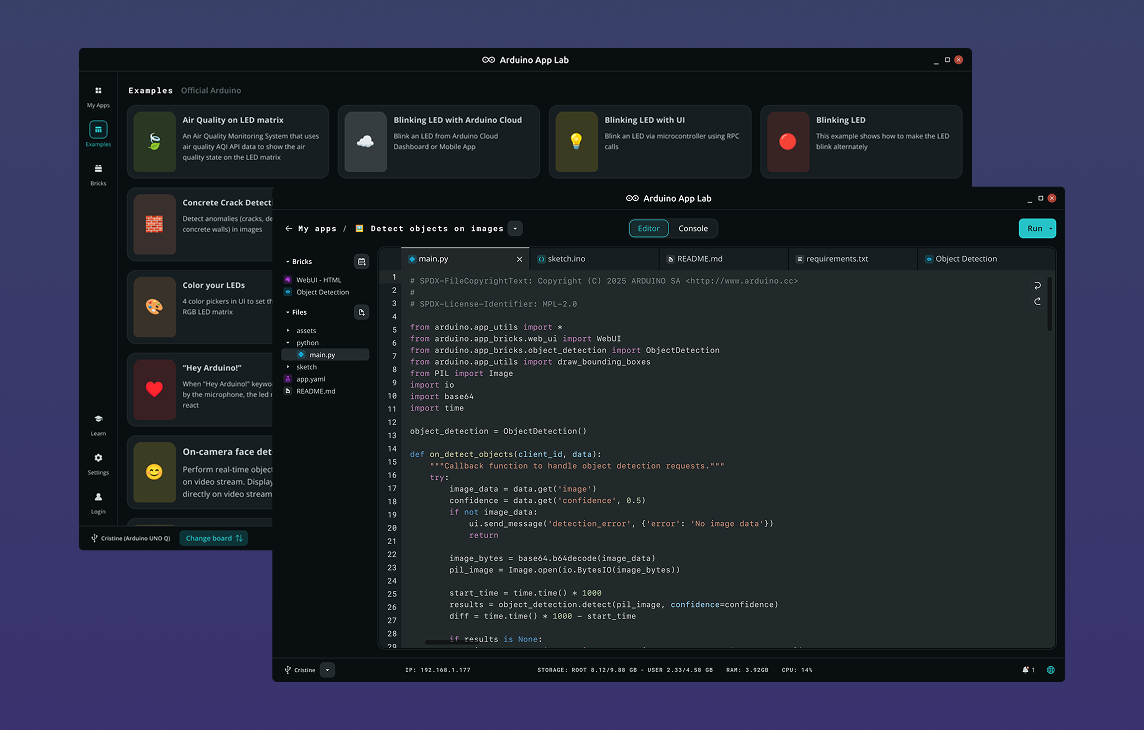
Arduino App Lab
Project description
Code
sketch
cpp
Arduino sketch
1// SPDX-License-Identifier: MPL-2.0
2// Modulino Pixels Color Studio - MCU Sketch
3//
4// Bridge.provide("name", fn) registers an RPC method Python can call.
5// Bridge runs its own background thread; animations run in loop().
6// `volatile` on anim_mode ensures both threads always read the latest value.
7
8#include <Arduino_RouterBridge.h>
9#include <Arduino_Modulino.h>
10
11// Declared before all functions so the Arduino preprocessor sees it when
12// it auto-generates prototypes (required for structs used as return types).
13struct RgbColor { uint8_t r, g, b; };
14
15ModulinoPixels pixels;
16
17// ── LED state ────────────────────────────────────────────────────────────────
18uint8_t brightness = 25;  // 0-100 (Modulino native range)
19uint8_t led_r[8]   = {0};
20uint8_t led_g[8]   = {0};
21uint8_t led_b[8]   = {0};
22
23// ── Animation state ──────────────────────────────────────────────────────────
24volatile int anim_mode = 0; // 0 = off, 1 = hue wheel, 2 = sweep
25
26uint8_t       hue_offset = 0;
27int           sweep_pos  = 0;
28int           sweep_dir  = 1;
29unsigned long last_anim_ms = 0;
30
31const unsigned long HUE_STEP_MS   = 50;  // ~20 fps
32const unsigned long SWEEP_STEP_MS = 120;
33
34// ── Helpers ──────────────────────────────────────────────────────────────────
35
36// Push the led_* arrays to the hardware.
37void applyAll() {
38  for (int i = 0; i < 8; i++) {
39    pixels.set(i, ModulinoColor(led_r[i], led_g[i], led_b[i]), brightness);
40  }
41  pixels.show();
42}
43
44// Serialize current state to JSON for Python to forward to the browser.
45String buildState() {
46  String s = "{\"brightness\":" + String(brightness) + ",\"animation\":\"";
47  if      (anim_mode == 1) s += "hue_wheel";
48  else if (anim_mode == 2) s += "sweep";
49  else                     s += "none";
50  s += "\",\"pixels\":[";
51  for (int i = 0; i < 8; i++) {
52    if (i > 0) s += ",";
53    s += "{\"r\":" + String(led_r[i]) + ",\"g\":" + String(led_g[i]) + ",\"b\":" + String(led_b[i]) + "}";
54  }
55  return s + "]}";
56}
57
58// Convert a hue angle (0-255) to RGB. The wheel has 6 sectors of ~43 steps:
59//   0=red  43=yellow  85=green  128=cyan  170=blue  213=magenta
60RgbColor hueToRgb(uint8_t hue) {
61  RgbColor c = {0, 0, 0};
62  if      (hue < 43)  { c.r = 255;            c.g = hue * 6;         }
63  else if (hue < 85)  { c.r = (85 - hue) * 6; c.g = 255;            }
64  else if (hue < 128) {                        c.g = 255;             c.b = (hue - 85) * 6;  }
65  else if (hue < 170) {                        c.g = (170 - hue) * 6; c.b = 255;             }
66  else if (hue < 213) { c.r = (hue - 170) * 6;                        c.b = 255;             }
67  else                { c.r = 255;                                     c.b = (255 - hue) * 6; }
68  return c;
69}
70
71// ── Animation frames ─────────────────────────────────────────────────────────
72
73void stepHueWheel() {
74  for (int i = 0; i < 8; i++) {
75    // Spread 8 LEDs evenly across the 256-step hue wheel (32 steps apart).
76    RgbColor c = hueToRgb(hue_offset + (uint8_t)(i * 32));
77    led_r[i] = c.r; led_g[i] = c.g; led_b[i] = c.b;
78    pixels.set(i, ModulinoColor(c.r, c.g, c.b), brightness);
79  }
80  pixels.show();
81  hue_offset += 3; // wraps automatically at 256
82}
83
84void stepSweep() {
85  for (int i = 0; i < 8; i++) {
86    led_r[i] = 0; led_g[i] = 0; led_b[i] = 0;
87    pixels.set(i, ModulinoColor(0, 0, 0), 0);
88  }
89  led_g[sweep_pos] = 200; led_b[sweep_pos] = 255;
90  pixels.set(sweep_pos, ModulinoColor(0, 200, 255), brightness);
91  pixels.show();
92
93  sweep_pos += sweep_dir;
94  if (sweep_pos > 7) { sweep_pos = 6; sweep_dir = -1; }
95  if (sweep_pos < 0) { sweep_pos = 1; sweep_dir =  1; }
96}
97
98// ── RPC handlers (called by Python via Bridge) ────────────────────────────────
99
100String rpc_set_pixel(int index, int r, int g, int b, int bright) {
101  if (index < 0 || index > 7) return "{\"error\":\"index must be 0-7\"}";
102  anim_mode    = 0;
103  brightness   = constrain(bright, 0, 100);
104  led_r[index] = constrain(r, 0, 255);
105  led_g[index] = constrain(g, 0, 255);
106  led_b[index] = constrain(b, 0, 255);
107  applyAll();
108  return buildState();
109}
110
111String rpc_set_all(int r, int g, int b, int bright) {
112  anim_mode  = 0;
113  brightness = constrain(bright, 0, 100);
114  for (int i = 0; i < 8; i++) {
115    led_r[i] = constrain(r, 0, 255);
116    led_g[i] = constrain(g, 0, 255);
117    led_b[i] = constrain(b, 0, 255);
118  }
119  applyAll();
120  return buildState();
121}
122
123String rpc_set_brightness(int bright) {
124  brightness = constrain(bright, 0, 100);
125  applyAll();
126  return buildState();
127}
128
129String rpc_get_state() { return buildState(); }
130
131String rpc_start_hue_wheel() {
132  hue_offset = 0; last_anim_ms = 0; anim_mode = 1;
133  return buildState();
134}
135
136String rpc_start_sweep() {
137  sweep_pos = 0; sweep_dir = 1; last_anim_ms = 0; anim_mode = 2;
138  return buildState();
139}
140
141String rpc_stop_animation() {
142  anim_mode = 0;
143  applyAll();
144  return buildState();
145}
146
147// ── Arduino entry points ──────────────────────────────────────────────────────
148
149void setup() {
150  Bridge.begin();   // Connect to the Python app via serial bridge
151  Modulino.begin(); // Start the Modulino I2C bus
152  pixels.begin();   // Connect to the Pixels module
153  applyAll();       // Start with all LEDs off
154
155  Bridge.provide("set_pixel",       rpc_set_pixel);
156  Bridge.provide("set_all",         rpc_set_all);
157  Bridge.provide("set_brightness",  rpc_set_brightness);
158  Bridge.provide("get_state",       rpc_get_state);
159  Bridge.provide("start_hue_wheel", rpc_start_hue_wheel);
160  Bridge.provide("start_sweep",     rpc_start_sweep);
161  Bridge.provide("stop_animation",  rpc_stop_animation);
162}
163
164void loop() {
165  if (anim_mode == 0) return; // Bridge handles RPC calls in its own thread
166
167  unsigned long now = millis();
168  if (anim_mode == 1 && now - last_anim_ms >= HUE_STEP_MS)   { last_anim_ms = now; stepHueWheel(); }
169  if (anim_mode == 2 && now - last_anim_ms >= SWEEP_STEP_MS) { last_anim_ms = now; stepSweep();    }
170}
main
python
Main python file
1import json
2import os
3
4from arduino.app_utils import App, Bridge
5from arduino.app_bricks.web_ui import WebUI
6
7# ── Web UI setup ─────────────────────────────────────────────────────────────
8# Serve static files from the python/ui/ folder next to this script.
9# os.path.abspath(__file__) gives the full path of main.py, and
10# os.path.dirname(...) strips the filename to get the folder path.
11_ui_dir = os.path.join(os.path.dirname(os.path.abspath(__file__)), "..", "ui")
12ui = WebUI(assets_dir_path=_ui_dir)
13
14
15# ── Bridge helper ─────────────────────────────────────────────────────────────
16def _call_mcu(method, *args):
17    """Call an RPC method on the MCU and return the parsed state dict."""
18    try:
19        raw = Bridge.call(method, *args)  # Returns a JSON string from the MCU
20        return json.loads(raw)            # Parse it into a Python dict
21    except Exception as exc:
22        print(f"[bridge] {method} error: {exc}")
23        return None
24
25
26def _broadcast_state(state, room=None):
27    """Send a confirmed state update to connected browsers.
28
29    If room is given, send only to that client (used on first connect).
30    Otherwise, broadcast to everyone.
31    """
32    if state and "error" not in state:
33        ui.send_message("state_update", state, room=room)
34
35
36# ── Connection handler ────────────────────────────────────────────────────────
37def on_connect(sid):
38    """Called when a browser connects. Send the current LED state immediately."""
39    state = _call_mcu("get_state")
40    _broadcast_state(state, room=sid)
41
42
43# ── LED control handlers (browser → Python → MCU) ─────────────────────────────
44def on_set_pixel(sid, data):
45    """Set one LED to the colour and brightness sent by the browser."""
46    state = _call_mcu(
47        "set_pixel",
48        int(data["index"]),
49        int(data["r"]),
50        int(data["g"]),
51        int(data["b"]),
52        int(data["brightness"]),
53    )
54    _broadcast_state(state)
55
56
57def on_set_all(sid, data):
58    """Fill all 8 LEDs with the same colour and brightness."""
59    state = _call_mcu(
60        "set_all",
61        int(data["r"]),
62        int(data["g"]),
63        int(data["b"]),
64        int(data["brightness"]),
65    )
66    _broadcast_state(state)
67
68
69def on_set_brightness(sid, data):
70    """Change global brightness without touching colours."""
71    state = _call_mcu("set_brightness", int(data["brightness"]))
72    _broadcast_state(state)
73
74
75# ── Animation handlers ────────────────────────────────────────────────────────
76def on_start_hue_wheel(sid, data):
77    """Start the spinning rainbow animation on the MCU."""
78    state = _call_mcu("start_hue_wheel")
79    _broadcast_state(state)
80
81
82def on_start_sweep(sid, data):
83    """Start the bouncing cyan-dot animation on the MCU."""
84    state = _call_mcu("start_sweep")
85    _broadcast_state(state)
86
87
88def on_stop_animation(sid, data):
89    """Stop whichever animation is running and freeze the LEDs."""
90    state = _call_mcu("stop_animation")
91    _broadcast_state(state)
92
93
94# ── Register all handlers ─────────────────────────────────────────────────────
95ui.on_connect(on_connect)
96
97ui.on_message("set_pixel",        on_set_pixel)
98ui.on_message("set_all",          on_set_all)
99ui.on_message("set_brightness",   on_set_brightness)
100ui.on_message("start_hue_wheel",  on_start_hue_wheel)
101ui.on_message("start_sweep",      on_start_sweep)
102ui.on_message("stop_animation",   on_stop_animation)
103
104App.run()
styles
css
Style file
1/* ── Design tokens ───────────────────────────────────────────────────────── */
2:root {
3  --bg:        #0f1117;
4  --surface:   #1c1f2a;
5  --border:    #2e3244;
6  --accent:    #4fa3e0;
7  --text:      #e2e8f0;
8  --muted:     #8892a4;
9  --green:     #22c55e;
10  --red:       #ef4444;
11  --radius:    10px;
12}
13
14/* ── Reset + base ────────────────────────────────────────────────────────── */
15* { box-sizing: border-box; margin: 0; padding: 0; }
16
17body {
18  font-family: 'Segoe UI', system-ui, sans-serif;
19  background: var(--bg);
20  color: var(--text);
21  display: flex;
22  flex-direction: column;
23  align-items: center;
24  min-height: 100vh;
25  gap: 2rem;
26  padding: 2rem 1rem;
27}
28
29h1 {
30  font-size: 1.35rem;
31  letter-spacing: -0.02em;
32  color: var(--accent);
33  text-align: center;
34}
35
36/* ── Section labels ──────────────────────────────────────────────────────── */
37.section-label {
38  font-size: 0.75rem;
39  font-weight: 600;
40  text-transform: uppercase;
41  letter-spacing: 0.1em;
42  color: var(--muted);
43  margin-bottom: 0.75rem;
44  text-align: center;
45}
46
47/* ── Animation cards ─────────────────────────────────────────────────────── */
48.buttons-row {
49  display: flex;
50  gap: 1.25rem;
51  justify-content: center;
52}
53
54.btn-card {
55  display: flex;
56  flex-direction: column;
57  align-items: center;
58  gap: 0.625rem;
59  background: var(--surface);
60  border: 2px solid var(--border);
61  border-radius: var(--radius);
62  padding: 1.125rem 1.25rem;
63  min-width: 110px;
64  transition: border-color 0.15s;
65}
66
67.btn-card.active { border-color: var(--accent); }
68
69.anim-icon { font-size: 1.6rem; }
70
71.btn-label { font-size: 0.85rem; color: var(--muted); }
72
73.anim-btn {
74  padding: 0.375rem 1rem;
75  border: 1px solid var(--border);
76  border-radius: 6px;
77  background: var(--bg);
78  color: var(--text);
79  font-size: 0.8rem;
80  cursor: pointer;
81  transition: opacity 0.15s;
82}
83
84.anim-btn:hover   { opacity: 0.8; }
85.anim-btn.stop    { color: var(--red); border-color: var(--red); }
86
87/* ── Brightness slider ───────────────────────────────────────────────────── */
88.brightness-row {
89  display: flex;
90  align-items: center;
91  gap: 1rem;
92  justify-content: center;
93}
94
95#brightness-slider {
96  width: 200px;
97  accent-color: var(--accent);
98  height: 6px;
99  cursor: pointer;
100}
101
102#brightness-value {
103  width: 2.5rem;
104  text-align: right;
105  font-variant-numeric: tabular-nums;
106}
107
108/* ── Fill All ────────────────────────────────────────────────────────────── */
109.fill-row {
110  display: flex;
111  align-items: center;
112  gap: 1rem;
113  justify-content: center;
114}
115
116#fill-color {
117  width: 3.5rem;
118  height: 3.5rem;
119  border: 2px solid var(--border);
120  border-radius: 8px;
121  background: none;
122  cursor: pointer;
123  padding: 2px;
124}
125
126#fill-btn {
127  padding: 0.6rem 1.2rem;
128  border: none;
129  border-radius: 8px;
130  background: var(--accent);
131  color: #fff;
132  font-size: 0.9rem;
133  font-weight: 600;
134  cursor: pointer;
135  transition: opacity 0.15s;
136}
137
138#fill-btn:hover    { opacity: 0.85; }
139#fill-btn:active   { opacity: 0.7;  }
140#fill-btn:disabled { opacity: 0.4; cursor: not-allowed; }
141
142/* ── LED grid ────────────────────────────────────────────────────────────── */
143.leds-row {
144  display: flex;
145  gap: 0.75rem;
146  flex-wrap: wrap;
147  justify-content: center;
148}
149
150.led-card {
151  display: flex;
152  flex-direction: column;
153  align-items: center;
154  gap: 0.5rem;
155  background: var(--surface);
156  border: 2px solid var(--border);
157  border-radius: var(--radius);
158  padding: 0.875rem 1rem;
159  min-width: 72px;
160}
161
162.led-circle {
163  width: 40px;
164  height: 40px;
165  border-radius: 50%;
166  background: #111;
167  border: 3px solid var(--border);
168  transition: background-color 0.2s, box-shadow 0.2s;
169}
170
171.led-label { font-size: 0.75rem; color: var(--muted); }
172
173.led-picker {
174  width: 40px;
175  height: 32px;
176  border: 1px solid var(--border);
177  border-radius: 6px;
178  background: none;
179  cursor: pointer;
180  padding: 2px;
181}
182
183.led-picker:disabled { opacity: 0.4; cursor: not-allowed; }
184
185/* ── Status ──────────────────────────────────────────────────────────────── */
186#status { font-size: 0.78rem; color: var(--muted); }
187
188/* ── Status badge ────────────────────────────────────────────────────────── */
189.status {
190  font-size: 0.8rem;
191  font-weight: 600;
192  padding: 0.25rem 0.75rem;
193  border-radius: 999px;
194  letter-spacing: 0.04em;
195}
196
197.status.connected    { background: var(--green); color: #fff; }
198.status.disconnected { background: var(--red);   color: #fff; }
199.status.connecting   { background: var(--muted); color: #fff; }
200
201/* ── Responsive ──────────────────────────────────────────────────────────── */
202@media (min-width: 600px) {
203  body { max-width: 700px; margin: 0 auto; }
204}
index
markup
HTML file
1<!DOCTYPE html>
2<html lang="en">
3<head>
4  <meta charset="UTF-8" />
5  <meta name="viewport" content="width=device-width, initial-scale=1.0" />
6  <title>Modulino Pixels – Color Studio</title>
7  <link rel="stylesheet" href="styles.css" />
8</head>
9<body>
10
11  <h1>🎨 Modulino Pixels – Color Studio</h1>
12
13  <!-- ── Animations ──────────────────────────────────────────────────── -->
14  <div>
15    <p class="section-label">Animations</p>
16    <div class="buttons-row">
17
18      <!-- Hue Wheel card -->
19      <div class="btn-card" id="card-hue-wheel">
20        <div class="anim-icon">🌈</div>
21        <div class="btn-label">Hue Wheel</div>
22        <button class="anim-btn" id="btn-hue-wheel">Start</button>
23      </div>
24
25      <!-- Sweep card -->
26      <div class="btn-card" id="card-sweep">
27        <div class="anim-icon">↔</div>
28        <div class="btn-label">Sweep</div>
29        <button class="anim-btn" id="btn-sweep">Start</button>
30      </div>
31
32    </div>
33  </div>
34
35  <!-- ── Brightness ──────────────────────────────────────────────────── -->
36  <div>
37    <p class="section-label">Brightness</p>
38    <div class="brightness-row">
39      <input type="range" id="brightness-slider" min="0" max="100" value="25" />
40      <span id="brightness-value">25</span>
41    </div>
42  </div>
43
44  <!-- ── Fill All ────────────────────────────────────────────────────── -->
45  <div>
46    <p class="section-label">Fill All LEDs</p>
47    <div class="fill-row">
48      <input type="color" id="fill-color" value="#000000" />
49      <button id="fill-btn">Apply to all</button>
50    </div>
51  </div>
52
53  <!-- ── Individual LEDs ─────────────────────────────────────────────── -->
54  <div>
55    <p class="section-label">Individual LEDs</p>
56    <!-- 8 LED cards are built dynamically by app.js -->
57    <div class="leds-row" id="leds-grid"></div>
58  </div>
59
60  <!-- ── Status ──────────────────────────────────────────────────────── -->
61  <div id="status">Connecting…</div>
62
63  <!-- Socket.IO client library (version 4, matches the Python server) -->
64  <script src="https://cdn.socket.io/4.7.5/socket.io.min.js"></script>
65  <script src="app.js"></script>
66
67</body>
68</html>
app
js
Javascript file
1const socket = io();
2
3// ── DOM references ────────────────────────────────────────────────────────────
4const statusEl         = document.getElementById("status");
5const brightnessSlider = document.getElementById("brightness-slider");
6const brightnessValue  = document.getElementById("brightness-value");
7const fillColorInput   = document.getElementById("fill-color");
8const fillBtn          = document.getElementById("fill-btn");
9const ledsGrid         = document.getElementById("leds-grid");
10const cardHueWheel     = document.getElementById("card-hue-wheel");
11const cardSweep        = document.getElementById("card-sweep");
12const btnHueWheel      = document.getElementById("btn-hue-wheel");
13const btnSweep         = document.getElementById("btn-sweep");
14
15// ── Per-LED elements ──────────────────────────────────────────────────────────
16const ledCircles = [];
17const ledPickers = [];
18let   pixelTimer = null;
19let   brightnessTimer = null;
20
21for (let i = 0; i < 8; i++) {
22  const card   = document.createElement("div");
23  const label  = document.createElement("div");
24  const circle = document.createElement("div");
25  const picker = document.createElement("input");
26
27  card.className   = "led-card";
28  label.className  = "led-label";
29  circle.className = "led-circle";
30  picker.type      = "color";
31  picker.className = "led-picker";
32
33  label.textContent = "LED " + i;
34  picker.value      = "#000000";
35
36  picker.addEventListener("input", () => {
37    clearTimeout(pixelTimer);
38    pixelTimer = setTimeout(() => {
39      const { r, g, b } = hexToRgb(picker.value);
40      socket.emit("set_pixel", { index: i, r, g, b, brightness: parseInt(brightnessSlider.value, 10) });
41    }, 120);
42  });
43
44  card.appendChild(label);
45  card.appendChild(circle);
46  card.appendChild(picker);
47  ledsGrid.appendChild(card);
48
49  ledCircles.push(circle);
50  ledPickers.push(picker);
51}
52
53// ── Color helpers ─────────────────────────────────────────────────────────────
54function hexToRgb(hex) {
55  const num = parseInt(hex.slice(1), 16);
56  return { r: (num >> 16) & 0xff, g: (num >> 8) & 0xff, b: num & 0xff };
57}
58
59function rgbToHex(r, g, b) {
60  return "#" + [r, g, b].map(v => v.toString(16).padStart(2, "0")).join("");
61}
62
63// ── Apply confirmed state ─────────────────────────────────────────────────────
64function applyState(state) {
65  brightnessSlider.value      = state.brightness;
66  brightnessValue.textContent = state.brightness;
67
68  for (let i = 0; i < 8; i++) {
69    const { r, g, b } = state.pixels[i];
70    const hex = rgbToHex(r, g, b);
71    ledCircles[i].style.backgroundColor = hex;
72    ledCircles[i].style.boxShadow = (r || g || b) ? "0 0 14px " + hex + "99" : "none";
73    ledPickers[i].value = hex;
74  }
75
76  const anim        = state.animation;
77  const isAnimating = anim !== "none";
78
79  fillBtn.disabled = isAnimating;
80  ledPickers.forEach(p => p.disabled = isAnimating);
81
82  cardHueWheel.classList.toggle("active", anim === "hue_wheel");
83  cardSweep.classList.toggle("active",    anim === "sweep");
84
85  btnHueWheel.textContent = anim === "hue_wheel" ? "Stop" : "Start";
86  btnHueWheel.classList.toggle("stop",            anim === "hue_wheel");
87
88  btnSweep.textContent = anim === "sweep" ? "Stop" : "Start";
89  btnSweep.classList.toggle("stop",        anim === "sweep");
90}
91
92// ── Event listeners ───────────────────────────────────────────────────────────
93brightnessSlider.addEventListener("input", () => {
94  const val = parseInt(brightnessSlider.value, 10);
95  brightnessValue.textContent = val;
96  clearTimeout(brightnessTimer);
97  brightnessTimer = setTimeout(() => socket.emit("set_brightness", { brightness: val }), 150);
98});
99
100fillBtn.addEventListener("click", () => {
101  const { r, g, b } = hexToRgb(fillColorInput.value);
102  socket.emit("set_all", { r, g, b, brightness: parseInt(brightnessSlider.value, 10) });
103});
104
105btnHueWheel.addEventListener("click", () =>
106  btnHueWheel.classList.contains("stop")
107    ? socket.emit("stop_animation",  {})
108    : socket.emit("start_hue_wheel", {})
109);
110
111btnSweep.addEventListener("click", () =>
112  btnSweep.classList.contains("stop")
113    ? socket.emit("stop_animation", {})
114    : socket.emit("start_sweep",    {})
115);
116
117// ── Socket events ─────────────────────────────────────────────────────────────
118socket.on("connect",       () => { statusEl.className = "status connected";    statusEl.textContent = "● Connected";    });
119socket.on("disconnect",    () => { statusEl.className = "status disconnected"; statusEl.textContent = "● Disconnected"; });
120socket.on("connect_error", () => { statusEl.className = "status connecting";   statusEl.textContent = "Connecting…";    });
121
122socket.on("state_update", data => { if (data?.pixels) applyState(data); });
Arduino App Lab
Modulino Pixels - Color studio
A web-based color controller for the Arduino Modulino Pixels module (8 RGB LEDs). Open a browser, pick colors, drag a brightness slider, and watch
🎨
Modulino Pixels - Color studio
Comments
Only logged in users can leave comments