Modulino Latch Relay - Smart Switch
Control a the Modulino Latch Relay from the UNO Q and watch its state update instantly.
Devices & Components
1
Modulino™ Latch Relay
1
Arduino® UNO™ Q 2GB
Software & Tools
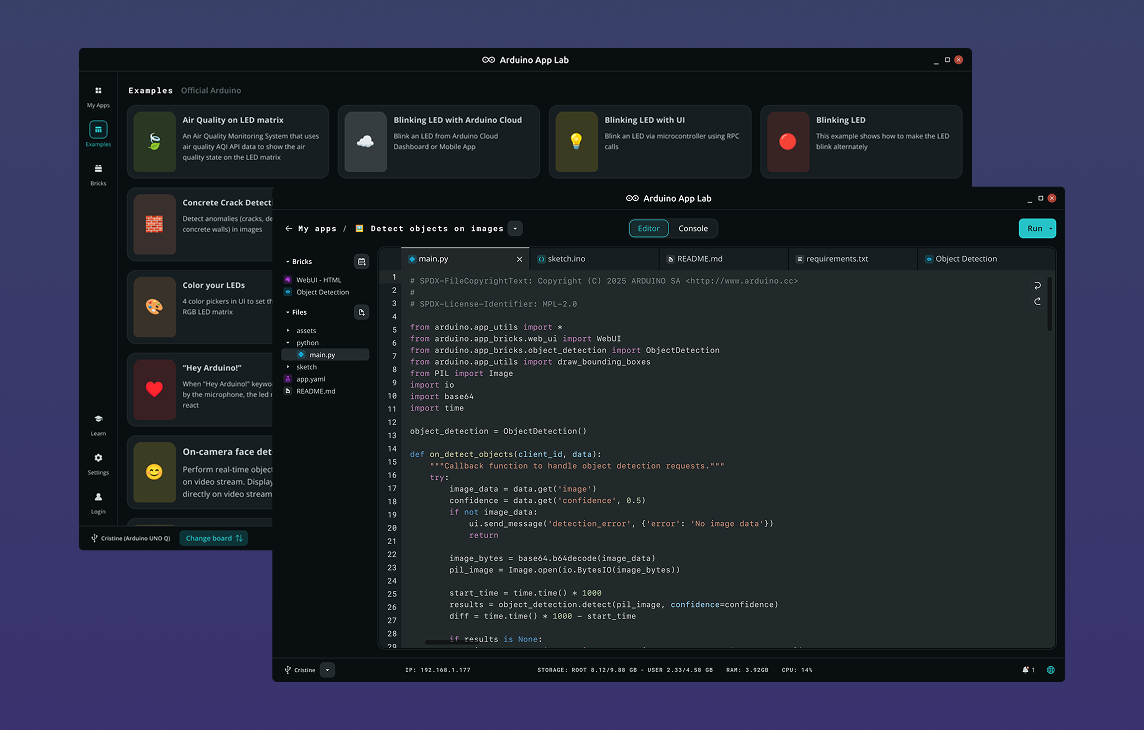
Arduino App Lab
Project description
Code
sketch
cpp
Arduino sketch
1#include <Arduino_RouterBridge.h>
2#include <Arduino_Modulino.h>
3
4ModulinoLatchRelay relay;
5
6// Track state explicitly — getStatus() polled immediately after a coil
7// pulse may return a stale value before the hardware confirms the switch.
8int relay_status = -1;
9
10String buildState(int status) {
11  return "{\"status\": " + String(status) + "}";
12}
13
14String rpc_get_state() {
15  relay_status = relay.getStatus();
16  return buildState(relay_status);
17}
18
19String rpc_relay_on() {
20  relay.set();
21  relay_status = 1;
22  return buildState(relay_status);
23}
24
25String rpc_relay_off() {
26  relay.reset();
27  relay_status = 0;
28  return buildState(relay_status);
29}
30
31void setup() {
32  Bridge.begin();
33  Modulino.begin();
34  relay.begin();
35
36  Bridge.provide("get_state", rpc_get_state);
37  Bridge.provide("relay_on",  rpc_relay_on);
38  Bridge.provide("relay_off", rpc_relay_off);
39}
40
41void loop() {
42}
main
python
Python main
1import json
2import os
3
4from arduino.app_utils import App, Bridge
5from arduino.app_bricks.web_ui import WebUI
6
7_ui_dir = os.path.join(os.path.dirname(os.path.abspath(__file__)), "..", "ui")
8ui = WebUI(assets_dir_path=_ui_dir)
9
10state = {"status": -1}
11
12
13def _call_mcu(method, *args):
14    try:
15        return json.loads(Bridge.call(method, *args))
16    except Exception as exc:
17        print(f"[bridge] {method} error: {exc}")
18        return None
19
20
21def _broadcast(new_state, room=None):
22    if new_state and "error" not in new_state:
23        state.update(new_state)
24        ui.send_message("state_update", state, room=room)
25
26
27def on_connect(sid):
28    _broadcast(_call_mcu("get_state"), room=sid)
29
30
31def on_relay_on(sid, data):
32    _broadcast(_call_mcu("relay_on"))
33
34
35def on_relay_off(sid, data):
36    _broadcast(_call_mcu("relay_off"))
37
38
39ui.on_connect(on_connect)
40ui.on_message("relay_on",  on_relay_on)
41ui.on_message("relay_off", on_relay_off)
42
43App.run()
styles
css
Style file
1:root {
2  --bg:      #0f1117;
3  --surface: #1c1f2a;
4  --border:  #2e3244;
5  --accent:  #4fa3e0;
6  --text:    #e2e8f0;
7  --muted:   #8892a4;
8  --green:   #22c55e;
9  --red:     #ef4444;
10  --radius:  10px;
11}
12
13* { box-sizing: border-box; margin: 0; padding: 0; }
14
15body {
16  font-family: 'Segoe UI', system-ui, sans-serif;
17  background: var(--bg);
18  color: var(--text);
19  min-height: 100vh;
20  padding: 1rem;
21}
22
23header {
24  display: flex;
25  flex-direction: column;
26  align-items: center;
27  gap: 0.5rem;
28  margin-bottom: 1.5rem;
29  text-align: center;
30}
31
32header h1 { font-size: 1.35rem; letter-spacing: -0.02em; }
33
34.status {
35  font-size: 0.8rem;
36  font-weight: 600;
37  padding: 0.25rem 0.75rem;
38  border-radius: 999px;
39  letter-spacing: 0.04em;
40  text-transform: uppercase;
41}
42
43.status.connected    { background: var(--green); color: #fff; }
44.status.disconnected { background: var(--red);   color: #fff; }
45.status.connecting   { background: var(--muted); color: #fff; }
46
47main { display: flex; flex-direction: column; gap: 1.25rem; }
48
49.card {
50  background: var(--surface);
51  border: 1px solid var(--border);
52  border-radius: var(--radius);
53  padding: 1.25rem 1.5rem;
54}
55
56.card h2 {
57  font-size: 0.95rem;
58  font-weight: 600;
59  color: var(--muted);
60  text-transform: uppercase;
61  letter-spacing: 0.06em;
62  margin-bottom: 1rem;
63}
64
65/* Status card */
66.status-card {
67  display: flex;
68  justify-content: center;
69  align-items: center;
70}
71
72.relay-badge {
73  font-size: 2.5rem;
74  font-weight: 700;
75  letter-spacing: 0.04em;
76  padding: 1rem 2rem;
77  border-radius: var(--radius);
78  border: 2px solid var(--border);
79  color: var(--muted);
80  transition: color 0.2s, border-color 0.2s;
81}
82
83.relay-badge.on  { color: var(--green); border-color: var(--green); }
84.relay-badge.off { color: var(--red);   border-color: var(--red);   }
85
86/* Control row */
87.control-row {
88  display: flex;
89  gap: 1rem;
90}
91
92.btn {
93  flex: 1;
94  background: var(--accent);
95  color: #fff;
96  border: none;
97  border-radius: 8px;
98  padding: 0.75rem 1.2rem;
99  font-size: 1rem;
100  font-weight: 600;
101  cursor: pointer;
102  transition: opacity 0.15s;
103}
104
105.btn:hover    { opacity: 0.85; }
106.btn:active   { opacity: 0.7;  }
107.btn:disabled { opacity: 0.4; cursor: not-allowed; }
108.btn.danger   { background: var(--red); }
109
110/* Info note */
111.info-note {
112  font-size: 0.875rem;
113  color: var(--muted);
114  line-height: 1.5;
115}
116
117@media (min-width: 600px) {
118  main { max-width: 700px; margin: 0 auto; }
119}
index
markup
html file
1<!DOCTYPE html>
2<html lang="en">
3<head>
4  <meta charset="UTF-8" />
5  <meta name="viewport" content="width=device-width, initial-scale=1.0" />
6  <title>Modulino Latch Relay – Smart Switch</title>
7  <link rel="stylesheet" href="styles.css" />
8</head>
9<body>
10  <header>
11    <h1>🔌 Modulino Latch Relay – Smart Switch</h1>
12    <span id="status" class="status connecting">Connecting…</span>
13  </header>
14
15  <main>
16    <section class="card status-card">
17      <div class="relay-badge" id="relay-badge">? UNKNOWN</div>
18    </section>
19
20    <section class="card">
21      <h2>Control</h2>
22      <div class="control-row">
23        <button class="btn" id="btn-on">Turn ON</button>
24        <button class="btn danger" id="btn-off">Turn OFF</button>
25      </div>
26    </section>
27
28    <section class="card">
29      <p class="info-note">ℹ️ This relay holds its state even when power is removed.</p>
30    </section>
31  </main>
32
33  <script src="https://cdn.socket.io/4.7.5/socket.io.min.js"></script>
34  <script src="app.js"></script>
35</body>
36</html>
app
js
JS file
1var socket = io();
2
3var statusEl  = document.getElementById("status");
4var badge     = document.getElementById("relay-badge");
5var btnOn     = document.getElementById("btn-on");
6var btnOff    = document.getElementById("btn-off");
7
8// Connection status
9socket.on("connect",       function () { statusEl.className = "status connected";    statusEl.textContent = "● Connected";    });
10socket.on("disconnect",    function () { statusEl.className = "status disconnected"; statusEl.textContent = "● Disconnected"; });
11socket.on("connect_error", function () { statusEl.className = "status connecting";   statusEl.textContent = "Connecting…";    });
12
13// State from server
14socket.on("state_update", function (data) {
15  if (data) applyState(data);
16});
17
18function applyState(state) {
19  var s = state.status;
20
21  if (s === 1) {
22    badge.textContent = "● ON";
23    badge.className   = "relay-badge on";
24  } else if (s === 0) {
25    badge.textContent = "○ OFF";
26    badge.className   = "relay-badge off";
27  } else {
28    badge.textContent = "? UNKNOWN";
29    badge.className   = "relay-badge";
30  }
31
32  btnOn.disabled  = (s === 1);
33  btnOff.disabled = (s === 0);
34}
35
36btnOn.addEventListener("click",  function () { socket.emit("relay_on",  {}); });
37btnOff.addEventListener("click", function () { socket.emit("relay_off", {}); });
Arduino App Lab
Modulino Latch Relay – Smart Switch
Control a latching relay and monitor its state from the browser.
🔌
Modulino Latch Relay – Smart Switch
Comments
Only logged in users can leave comments