KicoBox: A Rubik’s Cube-Like Robot to Teach Coding
Let everyone fall in love with coding using KicoBox, the robot that turns anywhere into an interactive coding experience.
Devices & Components
Battery module
tone module
line follower module
Oled module
Extention module
Bluetooth module
Touch button
PWM RGB LED
Main board with mega2560
motor control module
Software & Tools
KicoBox.apk
Project description
Code
Lesson3_online mode Light Show.sb2
scratch
KicoBox Online Programming Project :Light Show .When you run this project by pressing the green flag ,it will turn on left led to blue for one second,and turn off for one second.And repeat on and off for 10 times. You can find the study video at youtube. https://www.youtube.com/watch?v=p6_Qx7g7Jgs&list=PLRhBfBo7hDlaeVAnmYsDpa0JMsaKiJPTg
Lesson7_online mode Infrared Sensor.sb2
scratch
KicoBox Online Programming Project :Infrared Sensor When you run this project by pressing the green flag,the KicoBox will detect the 3 analog signals A1,A2,A3.And show them on the left of the stage.When y is less than 100,Lanbo will move 10 steps.If Lanbo comes to the edge of the stage,it will bounce to the start point. You can find the study video at youtube. https://www.youtube.com/watch?v=p6_Qx7g7Jgs&list=PLRhBfBo7hDlaeVAnmYsDpa0JMsaKiJPTg
Lesson9_offline mode Magic Music.sb2
scratch
Magic Music. Let's play a full song. Offline mode. Let's play Little Star in offline mode. You can find the study video at youtube. https://www.youtube.com/watch?v=p6_Qx7g7Jgs&list=PLRhBfBo7hDlaeVAnmYsDpa0JMsaKiJPTg
Lesson10_offline mode Line Follower.sb2
scratch
Line follower.Offline Mode. Prepare PVC Black Electrical Tape:width=18mm Make a black line to follow. You will find that the speed of the car and the shape of the runway will affect the accuracy of the track.You need to find the best way to do the line follwer.In the example ,we use the middle sensor to detect the black line.You can learn how the Analog value changes from project. You can find the study video at youtube. https://www.youtube.com/watch?v=p6_Qx7g7Jgs&list=PLRhBfBo7hDlaeVAnmYsDpa0JMsaKiJPTg
Lesson6_online mode Touch Button Controlling Oled.sb2
scratch
KicoBox Online Programming Project :Touch Button Controlling Oled When you run this project by pressing the green flag,the KicoBox will detect the touch button. If it is touched,Oled will show LOGO for 2 secs.If it is not touched,Oled will show picture of Jackson. You can find the study video at youtube. https://www.youtube.com/watch?v=p6_Qx7g7Jgs&list=PLRhBfBo7hDlaeVAnmYsDpa0JMsaKiJPTg
Lesson11_offline mode Bluetooth Control.sb2
scratch
Bluetooth Control.Offline Mode. Plese use the KicoBox APP to send commands.Such as,49->forward,50->backward. You can use bluetooth to programme for more fun. You can find the study video at youtube. https://www.youtube.com/watch?v=p6_Qx7g7Jgs&list=PLRhBfBo7hDlaeVAnmYsDpa0JMsaKiJPTg
Lesson5_online mode Play Music.sb2
scratch
KicoBox Online Programming Project :Play Music When you run this project by pressing the green flag,the KicoBox will play DO RE MI.You can play more melodic music. You can find the study video at youtube. https://www.youtube.com/watch?v=p6_Qx7g7Jgs&list=PLRhBfBo7hDlaeVAnmYsDpa0JMsaKiJPTg
Lesson1_scratch mode Example1.sb2
scratch
This a simple example about how to use scratch without board controlling. You can find the study video at youtube. https://www.youtube.com/watch?v=p6_Qx7g7Jgs&list=PLRhBfBo7hDlaeVAnmYsDpa0JMsaKiJPTg
Lesson4_online mode Motor Controlling.sb2
scratch
KicoBox Online Programming Project :Motor Controlling When you run this project by pressing the space key,the KicoBox will run forward for 1 secs, run backward for 1 secs,then spin left for 2 secs.You must stop the KicoBox first,when you want to change the direction. You can find the study video at youtube. https://www.youtube.com/watch?v=p6_Qx7g7Jgs&list=PLRhBfBo7hDlaeVAnmYsDpa0JMsaKiJPTg
Lesson10_offline mode Line Follower.sb2
scratch
Line follower.Offline Mode. Prepare PVC Black Electrical Tape:width=18mm Make a black line to follow. You will find that the speed of the car and the shape of the runway will affect the accuracy of the track.You need to find the best way to do the line follwer.In the example ,we use the middle sensor to detect the black line.You can learn how the Analog value changes from project. You can find the study video at youtube. https://www.youtube.com/watch?v=p6_Qx7g7Jgs&list=PLRhBfBo7hDlaeVAnmYsDpa0JMsaKiJPTg
Lesson7_online mode Infrared Sensor.sb2
scratch
KicoBox Online Programming Project :Infrared Sensor When you run this project by pressing the green flag,the KicoBox will detect the 3 analog signals A1,A2,A3.And show them on the left of the stage.When y is less than 100,Lanbo will move 10 steps.If Lanbo comes to the edge of the stage,it will bounce to the start point. You can find the study video at youtube. https://www.youtube.com/watch?v=p6_Qx7g7Jgs&list=PLRhBfBo7hDlaeVAnmYsDpa0JMsaKiJPTg
Lesson5_online mode Play Music.sb2
scratch
KicoBox Online Programming Project :Play Music When you run this project by pressing the green flag,the KicoBox will play DO RE MI.You can play more melodic music. You can find the study video at youtube. https://www.youtube.com/watch?v=p6_Qx7g7Jgs&list=PLRhBfBo7hDlaeVAnmYsDpa0JMsaKiJPTg
Lesson6_online mode Touch Button Controlling Oled.sb2
scratch
KicoBox Online Programming Project :Touch Button Controlling Oled When you run this project by pressing the green flag,the KicoBox will detect the touch button. If it is touched,Oled will show LOGO for 2 secs.If it is not touched,Oled will show picture of Jackson. You can find the study video at youtube. https://www.youtube.com/watch?v=p6_Qx7g7Jgs&list=PLRhBfBo7hDlaeVAnmYsDpa0JMsaKiJPTg
Lesson9_offline mode Magic Music.sb2
scratch
Magic Music. Let's play a full song. Offline mode. Let's play Little Star in offline mode. You can find the study video at youtube. https://www.youtube.com/watch?v=p6_Qx7g7Jgs&list=PLRhBfBo7hDlaeVAnmYsDpa0JMsaKiJPTg
Lesson8_offline mode Touch Button And Math.sb2
scratch
KicoBox Offline Programming Project :Touch Button And Math After you upload the offline code to your KicoBox ,plug out the USB from PC and restart your KicoBox. When you touch the button, the variable A will increase by 1 from 0 to 255. We read the touch button input digital signal for 100ms,in order to make the value more accurately. You can find the study video at youtube. https://www.youtube.com/watch?v=p6_Qx7g7Jgs&list=PLRhBfBo7hDlaeVAnmYsDpa0JMsaKiJPTg
Lesson2_scratch mode Example2.sb2
scratch
This is the 2nd basic example of scratch mode without board controoling. You can find the study video at youtube. https://www.youtube.com/watch?v=p6_Qx7g7Jgs&list=PLRhBfBo7hDlaeVAnmYsDpa0JMsaKiJPTg
Lesson11_offline mode Bluetooth Control.sb2
scratch
Bluetooth Control.Offline Mode. Plese use the KicoBox APP to send commands.Such as,49->forward,50->backward. You can use bluetooth to programme for more fun. You can find the study video at youtube. https://www.youtube.com/watch?v=p6_Qx7g7Jgs&list=PLRhBfBo7hDlaeVAnmYsDpa0JMsaKiJPTg
Lesson3_online mode Light Show.sb2
scratch
KicoBox Online Programming Project :Light Show .When you run this project by pressing the green flag ,it will turn on left led to blue for one second,and turn off for one second.And repeat on and off for 10 times. You can find the study video at youtube. https://www.youtube.com/watch?v=p6_Qx7g7Jgs&list=PLRhBfBo7hDlaeVAnmYsDpa0JMsaKiJPTg
Lesson8_offline mode Touch Button And Math.sb2
scratch
KicoBox Offline Programming Project :Touch Button And Math After you upload the offline code to your KicoBox ,plug out the USB from PC and restart your KicoBox. When you touch the button, the variable A will increase by 1 from 0 to 255. We read the touch button input digital signal for 100ms,in order to make the value more accurately. You can find the study video at youtube. https://www.youtube.com/watch?v=p6_Qx7g7Jgs&list=PLRhBfBo7hDlaeVAnmYsDpa0JMsaKiJPTg
Lesson1_scratch mode Example1.sb2
scratch
This a simple example about how to use scratch without board controlling. You can find the study video at youtube. https://www.youtube.com/watch?v=p6_Qx7g7Jgs&list=PLRhBfBo7hDlaeVAnmYsDpa0JMsaKiJPTg
Lesson2_scratch mode Example2.sb2
scratch
This is the 2nd basic example of scratch mode without board controoling. You can find the study video at youtube. https://www.youtube.com/watch?v=p6_Qx7g7Jgs&list=PLRhBfBo7hDlaeVAnmYsDpa0JMsaKiJPTg
Downloadable files
KicoBox Schematic
explain orally
KicoBox Schematic
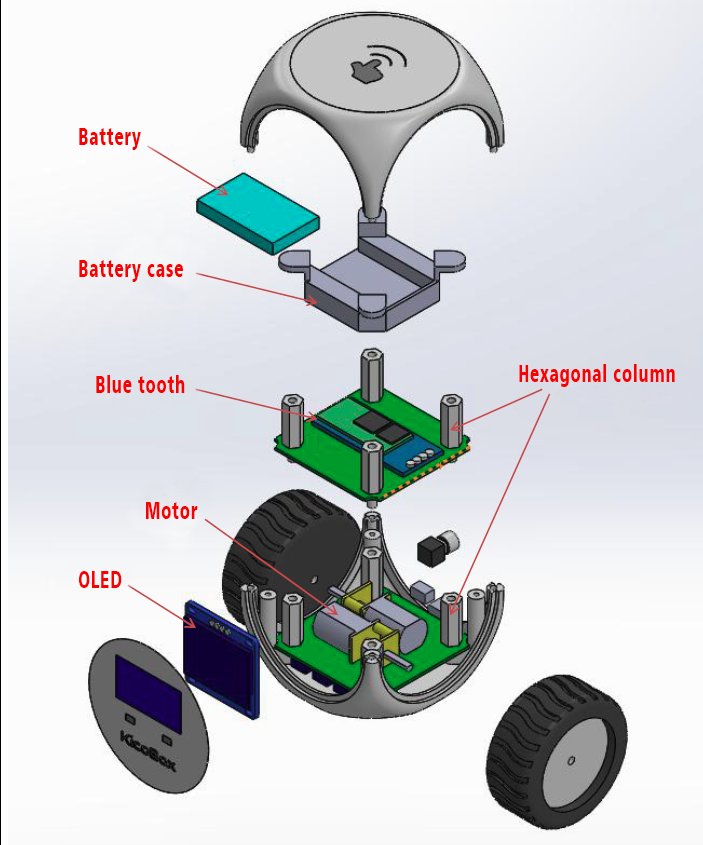
KicoBox Schematic
explain orally
KicoBox Schematic
Documentation
KicoBox Case
These are the KicoBox case Design with cad.
KicoBox Case
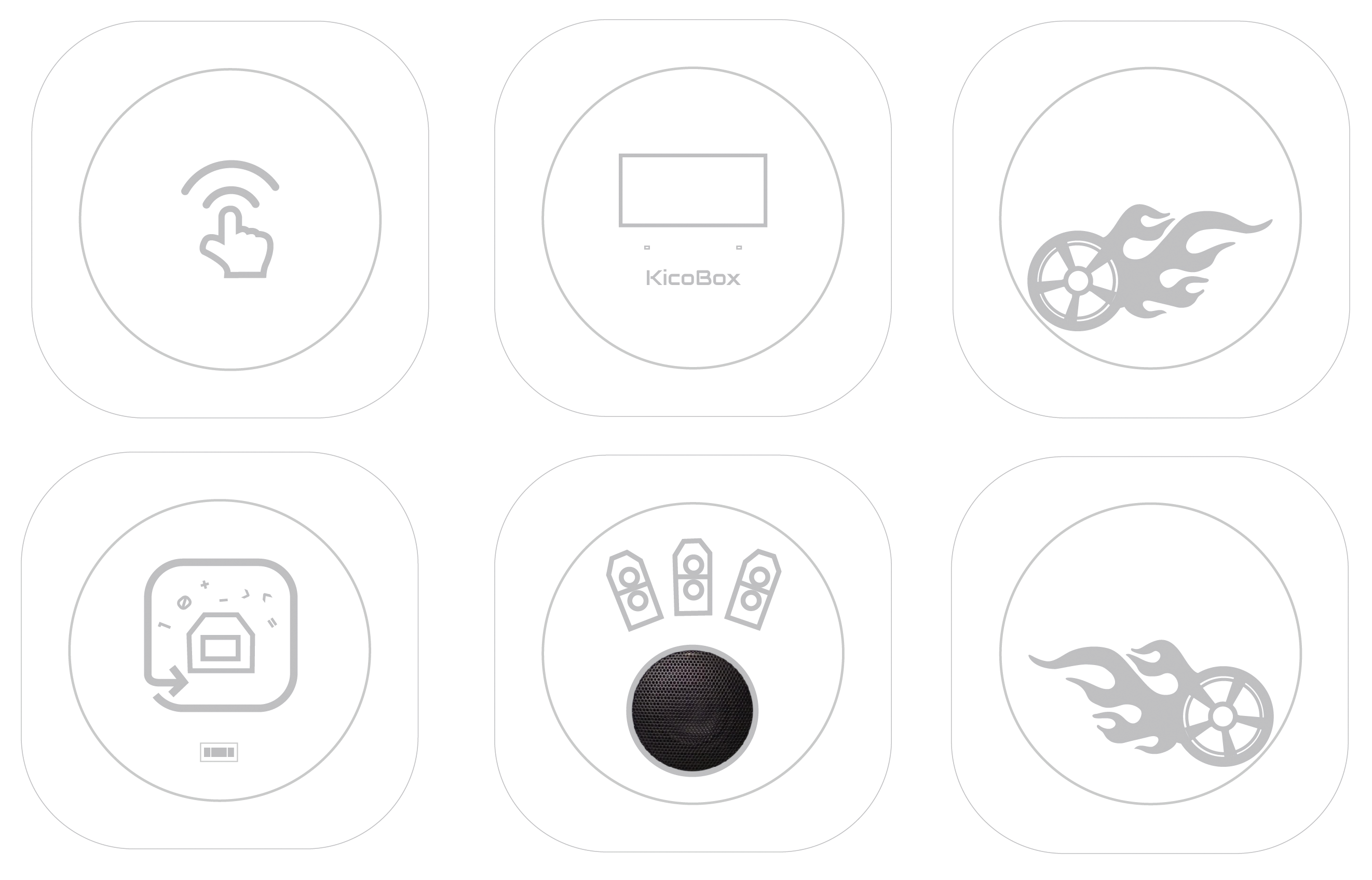
KicoBox Case
These are the KicoBox case Design with cad.
KicoBox Case
Comments
Only logged in users can leave comments