Devices & Components
5 mm LED: Red
Breadboard (generic)
ESP8266 ESP-12E
Jumper wires (generic)
Switch Actuator, Head for spring return push-button
Project description
Code
Code
c_cpp
Here is the project code
1#include <ESP8266WiFi.h> 2 3const char* ssid = "SDL AP1"; 4const char* password = "Systechd33"; 5 6int ledPin = 13; // GPIO13---D7 of NodeMCU 7WiFiServer server(80); 8 9void setup() { 10 Serial.begin(115200); 11 delay(10); 12 13 pinMode(ledPin, OUTPUT); 14 digitalWrite(ledPin, LOW); 15 16 // Connect to WiFi network 17 Serial.println(); 18 Serial.println(); 19 Serial.print("Connecting to "); 20 Serial.println(ssid); 21 22 WiFi.begin(ssid, password); 23 24 while (WiFi.status() != WL_CONNECTED) { 25 delay(500); 26 Serial.print("."); 27 } 28 Serial.println(""); 29 Serial.println("WiFi connected"); 30 31 // Start the server 32 server.begin(); 33 Serial.println("Server started"); 34 35 // Print the IP address 36 Serial.print("Use this URL to connect: "); 37 Serial.print("http://"); 38 Serial.print(WiFi.localIP()); 39 Serial.println("/"); 40 41} 42 43void loop() { 44 // Check if a client has connected 45 WiFiClient client = server.available(); 46 if (!client) { 47 return; 48 } 49 50 // Wait until the client sends some data 51 Serial.println("new client"); 52 while(!client.available()){ 53 delay(1); 54 } 55 56 // Read the first line of the request 57 String request = client.readStringUntil('\r'); 58 Serial.println(request); 59 client.flush(); 60 61 // Match the request 62 63 int value = LOW; 64 if (request.indexOf("/LED=ON") != -1) { 65 digitalWrite(ledPin, HIGH); 66 value = HIGH; 67 } 68 if (request.indexOf("/LED=OFF") != -1) { 69 digitalWrite(ledPin, LOW); 70 value = LOW; 71 } 72 73// Set ledPin according to the request 74//digitalWrite(ledPin, value); 75 76 // Return the response 77 client.println("HTTP/1.1 200 OK"); 78 client.println("Content-Type: text/html"); 79 client.println(""); // do not forget this one 80 client.println("<!DOCTYPE HTML>"); 81 client.println("<html>"); 82 83 client.print("Led is now: "); 84 85 if(value == HIGH) { 86 client.print("On"); 87 } else { 88 client.print("Off"); 89 } 90 client.println("<br><br>"); 91 client.println("<a href=\\"/LED=ON\\"\\"><button>On </button></a>"); 92 client.println("<a href=\\"/LED=OFF\\"\\"><button>Off </button></a><br />"); 93 client.println("</html>"); 94 95 delay(1); 96 Serial.println("Client disonnected"); 97 Serial.println(""); 98 99} 100
Downloadable files
Pin Diagram
Here is the pin diagram.
Pin Diagram
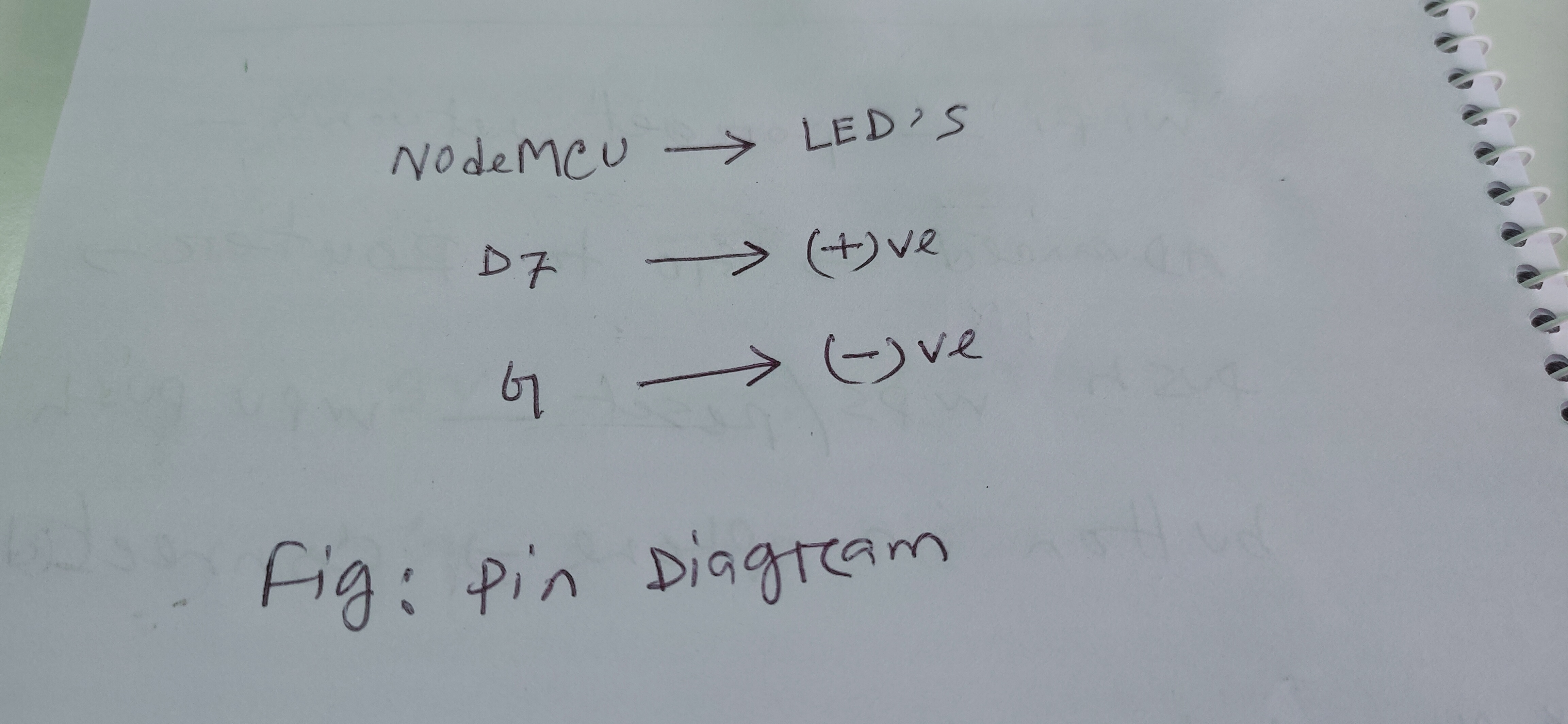
Pin Diagram
Here is the pin diagram.
Pin Diagram

Comments
Only logged in users can leave comments