Home Automation Energy Measurement System
This system used for measurements unit of energy. That makes your life easy. You can get the total cost per unit over the web server.
Devices & Components
6
Jumper wires (generic)
1
USB-A to Mini-USB Cable
4
Relay Accessory, Relay Module
1
NodeMCU ESP8266 Breakout Board
Project description
Code
Code
c_cpp
This is the project code
1#include <ESP8266WiFi.h>
2#include <EEPROM.h>
3#include "global.h"
4#include   "function.h"
5#include "setup.h"
6
7void loop(){
8  WiFiClient client   = server.available();   // Listen for incoming clients
9  if (client) {                             //   If a new client connects,
10    Serial.println("New Client.");          // print   a message out in the serial port
11    String currentLine = "";                //   make a String to hold incoming data from the client
12    currentTime = millis();
13     previousTime = currentTime;
14    while (client.connected() && currentTime   - previousTime <= timeoutTime) { // loop while the client's connected
15      currentTime   = millis();
16      if (client.available()) {             // if there's   bytes to read from the client,
17        char c = client.read();             //   read a byte, then
18        Serial.write(c);                    // print it out   the serial monitor
19        header += c;
20        if (c == '\
21') {                    //   if the byte is a newline character
22          // if the current line is blank,   you got two newline characters in a row.
23          // that's the end of the client   HTTP request, so send a response:
24          if (currentLine.length() == 0) {
25             // HTTP headers always start with a response code (e.g. HTTP/1.1 200   OK)
26            // and a content-type so the client knows what's coming, then   a blank line:
27            client.println("HTTP/1.1 200 OK");
28            client.println("Content-type:text/html");
29             client.println("Connection: close");
30            client.println();
31
32            // Device 1
33            if (header.indexOf("GET   /D1/on") >= 0) {
34              Serial.println("Device 1 on");
35              output1State   = "on";
36              digitalWrite(output1, HIGH);
37            } else if   (header.indexOf("GET /D1/off") >= 0) {
38              Serial.println("Divice   1 off");
39              output1State = "off";
40              digitalWrite(output1,   LOW);
41            }
42
43            //Device 2
44            else if (header.indexOf("GET   /D2/on") >= 0) {
45              Serial.println("Device 2 on");
46              output2State   = "on";
47              digitalWrite(output2, HIGH);
48            } else if   (header.indexOf("GET /D2/off") >= 0) {
49              Serial.println("Divice   2 off");
50              output2State = "off";
51              digitalWrite(output2,   LOW);
52            }
53
54
55            //Device 3
56
57            else   if (header.indexOf("GET /D3/on") >= 0) {
58              Serial.println("Device   3 on");
59              output3State = "on";
60              digitalWrite(output3,   HIGH);
61            } else if (header.indexOf("GET /D3/off") >= 0) {
62              Serial.println("Divice   3 off");
63              output3State = "off";
64              digitalWrite(output3,   LOW);
65            }
66
67            //Device 4
68
69            else if   (header.indexOf("GET /D4/on") >= 0) {
70              Serial.println("Device   4 on");
71              output4State = "on";
72              digitalWrite(output4,   HIGH);
73            } else if (header.indexOf("GET /D4/off") >= 0) {
74              Serial.println("Divice   4 off");
75              output4State = "off";
76              digitalWrite(output4,   LOW);
77            }
78
79            #include "htmlpage.h"
80
81            // The HTTP response ends with another blank line
82             client.println();
83            // Break out of the while loop
84             break;
85
86          } else { // if you got a newline, then clear   currentLine
87            currentLine = "";
88          }
89        } else   if (c != '\
') {  // if you got anything else but a carriage return character,
90           currentLine += c;      // add it to the end of the currentLine
91        }
92       }
93    }
94    // Clear the header variable
95    header = "";
96    //   Close the connection
97    client.stop();
98    Serial.println("Client disconnected.");
99     Serial.println("");
100  }
101}
102
Code
c_cpp
This is the project code
1#include <ESP8266WiFi.h>
2#include <EEPROM.h>
3#include "global.h"
4#include  "function.h"
5#include "setup.h"
6
7void loop(){
8  WiFiClient client  = server.available();   // Listen for incoming clients
9  if (client) {                             //  If a new client connects,
10    Serial.println("New Client.");          // print  a message out in the serial port
11    String currentLine = "";                //  make a String to hold incoming data from the client
12    currentTime = millis();
13    previousTime = currentTime;
14    while (client.connected() && currentTime  - previousTime <= timeoutTime) { // loop while the client's connected
15      currentTime  = millis();
16      if (client.available()) {             // if there's  bytes to read from the client,
17        char c = client.read();             //  read a byte, then
18        Serial.write(c);                    // print it out  the serial monitor
19        header += c;
20        if (c == '\n') {                    //  if the byte is a newline character
21          // if the current line is blank,  you got two newline characters in a row.
22          // that's the end of the client  HTTP request, so send a response:
23          if (currentLine.length() == 0) {
24            // HTTP headers always start with a response code (e.g. HTTP/1.1 200  OK)
25            // and a content-type so the client knows what's coming, then  a blank line:
26            client.println("HTTP/1.1 200 OK");
27            client.println("Content-type:text/html");
28            client.println("Connection: close");
29            client.println();
30
31            // Device 1
32            if (header.indexOf("GET  /D1/on") >= 0) {
33              Serial.println("Device 1 on");
34              output1State  = "on";
35              digitalWrite(output1, HIGH);
36            } else if  (header.indexOf("GET /D1/off") >= 0) {
37              Serial.println("Divice  1 off");
38              output1State = "off";
39              digitalWrite(output1,  LOW);
40            }
41
42            //Device 2
43            else if (header.indexOf("GET  /D2/on") >= 0) {
44              Serial.println("Device 2 on");
45              output2State  = "on";
46              digitalWrite(output2, HIGH);
47            } else if  (header.indexOf("GET /D2/off") >= 0) {
48              Serial.println("Divice  2 off");
49              output2State = "off";
50              digitalWrite(output2,  LOW);
51            }
52
53
54            //Device 3
55
56            else  if (header.indexOf("GET /D3/on") >= 0) {
57              Serial.println("Device  3 on");
58              output3State = "on";
59              digitalWrite(output3,  HIGH);
60            } else if (header.indexOf("GET /D3/off") >= 0) {
61              Serial.println("Divice  3 off");
62              output3State = "off";
63              digitalWrite(output3,  LOW);
64            }
65
66            //Device 4
67
68            else if  (header.indexOf("GET /D4/on") >= 0) {
69              Serial.println("Device  4 on");
70              output4State = "on";
71              digitalWrite(output4,  HIGH);
72            } else if (header.indexOf("GET /D4/off") >= 0) {
73              Serial.println("Divice  4 off");
74              output4State = "off";
75              digitalWrite(output4,  LOW);
76            }
77
78            #include "htmlpage.h"
79
80            // The HTTP response ends with another blank line
81            client.println();
82            // Break out of the while loop
83            break;
84
85          } else { // if you got a newline, then clear  currentLine
86            currentLine = "";
87          }
88        } else  if (c != '\r') {  // if you got anything else but a carriage return character,
89          currentLine += c;      // add it to the end of the currentLine
90        }
91      }
92    }
93    // Clear the header variable
94    header = "";
95    //  Close the connection
96    client.stop();
97    Serial.println("Client disconnected.");
98    Serial.println("");
99  }
100}
101
Downloadable files
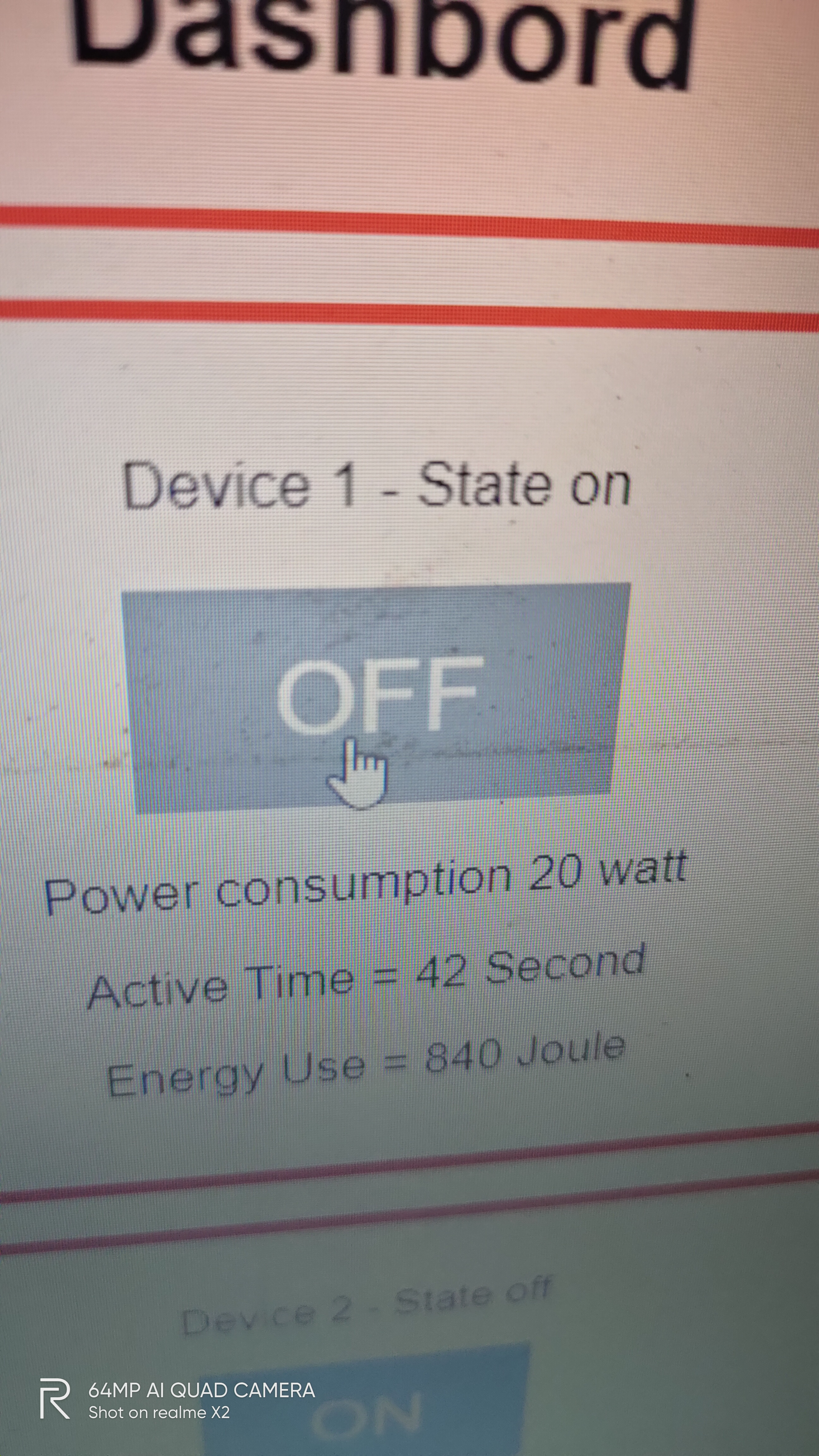
Web server
This is the webserver where get the data.
Web server
Comments
Only logged in users can leave comments