Devices & Components
Arduino Uno Rev3
Breadboard (generic)
LED (generic)
Jumper wires (generic)
LDR, 5 Mohm
Resistor 10k ohm
Software & Tools
Arduino IDE
Project description
Code
Code
c_cpp
1// Interfacing Arduino uno with LDR sensor 2 3const int ledPin = 5; // digital pin 5 4const int ldrPin = A0; // analog pin 0 5 6void setup() { // Void setup function will only run once, after each powerup or reset of the Arduino board. 7 8Serial.begin(9600); 9 10pinMode(ledPin, OUTPUT); // Here LED is determined as an ouput or an indicator. 11 12pinMode(ldrPin, INPUT); // Here LDR sensor is determined as input. 13 14} 15 16void loop() { // Void loop is ran again and again and contains main code. 17 18int ldrStatus = analogRead(ldrPin); 19 20if (ldrStatus <= 200) { 21 22digitalWrite(ledPin, HIGH); // If LDR senses darkness led pin high that means led will glow. 23 24Serial.print("Darkness over here,turn on the LED : "); 25 26Serial.println(ldrStatus); 27 28} else { 29 30digitalWrite(ledPin, LOW); // If LDR senses light led pin low that means led will stop glowing. 31 32Serial.print("There is sufficeint light , turn off the LED : "); 33 34Serial.println(ldrStatus); 35 36} 37 38} 39
Downloadable files
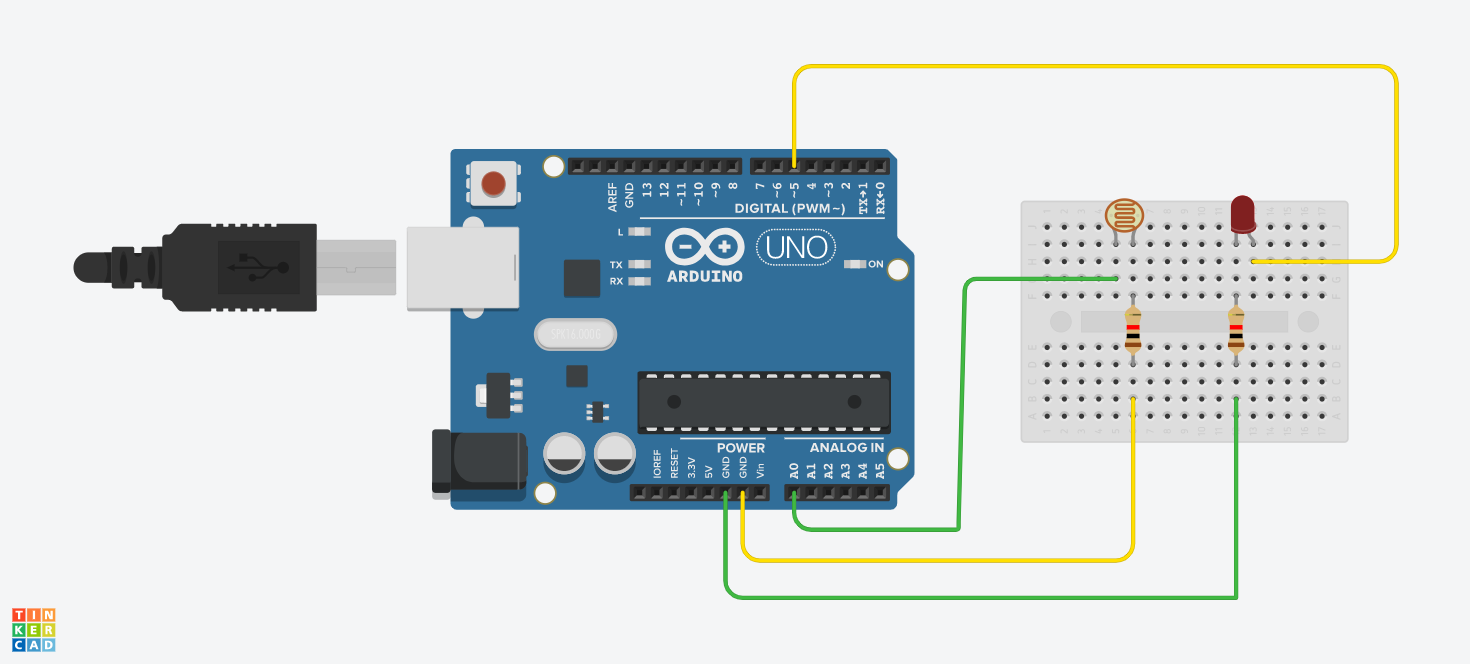
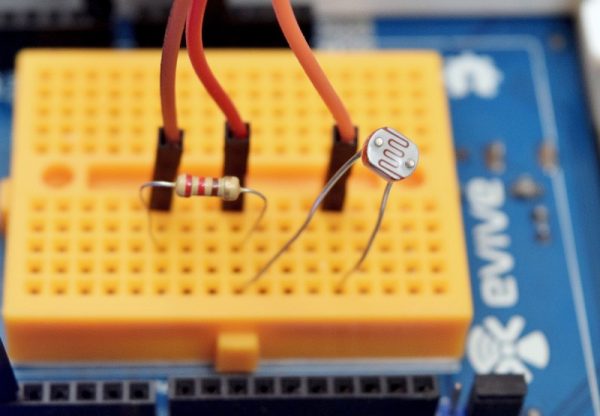
Circuit diagram
Circuit diagram
Image
Image
Image
Image

Image
Image

Image
Image

Image
Image

Image
Image

Circuit diagram
Circuit diagram

Comments
Only logged in users can leave comments