How to: Program in ESP32 via Arduino IDE
In this video, you'll know how can actually upload the initial program/code into an ESP32 board via Arduino IDE.
Devices & Components
1
Arduino Uno Rev3
1
FireBeetle ESP32 IOT Microcontroller (Supports Wi-Fi & Bluetooth)
1
Jumper wires (generic)
1
LED (generic)
Software & Tools

Arduino IDE
Project description
Code
Basic Blink code for ESP32
arduino
this is the sample led blink code is used to show how to upload the code in esp32 board
Basic Blink code for ESP32
arduino
this is the sample led blink code is used to show how to upload the code in esp32 board
Downloadable files
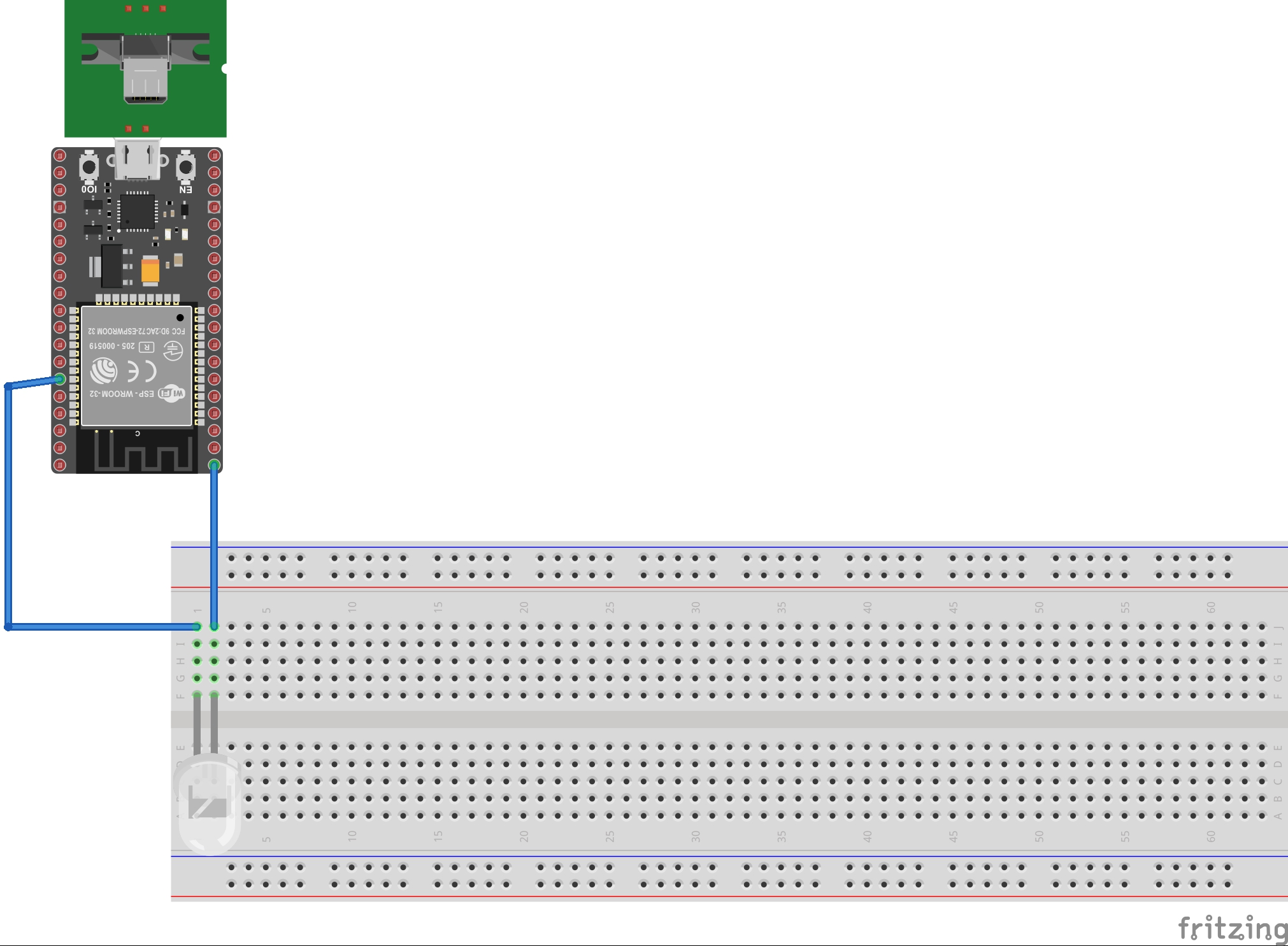
esp32 led circuit
this image is added to illustrate the sketch of the circuit
esp32 led circuit
Comments
Only logged in users can leave comments