Components and supplies
1
Arduino Uno Rev3
2
Resistor 221 ohm
1
Buzzer
1
Jumper wires (generic)
1
SG90 Micro-servo motor
1
Breadboard (generic)
1
LED (generic)
Project description
Code
The code:
arduino
1#include <Servo.h>
2// create servo object to control a servo
3Servo  myservo;
4// variable to store the servo position
5int pos = 0;
6// Define  pins for ultrasonic, buzzer, led and relay
7int const trigPin = 10;
8int const  echoPin = 9;
9int const buzzPin = 2;
10int const ledPin = 13;
11i
12void setup()
13{
14  myservo.attach(11);
15  // attach servo on pin 11
16  pinMode(trigPin, OUTPUT);
17  // trig pin will have pulses output
18  pinMode(echoPin, INPUT);
19  // echo  pin should be input to get pulse width
20  pinMode(buzzPin, OUTPUT);
21  // buzz  pin is output to control buzzering
22  pinMode(ledPin, OUTPUT);
23  // led pin  is output to glow light
24
25
26}
27void loop()
28{
29  // Duration will  be the input pulse width and distance will be the distance to the obstacle in centimeters
30  int duration, distance;
31  // Output pulse with 1ms width on trigPin
32  digitalWrite(trigPin,  HIGH);
33  delay(1);
34  digitalWrite(trigPin, LOW);
35  // Measure the pulse  input in echo pin
36  duration = pulseIn(echoPin, HIGH);
37  // Distance is half  the duration devided by 29.1 (from datasheet)
38  distance = (duration / 2) / 29.1;
39  // if distance less than 0.15 meter and more than 0 (0 or less means over range)
40  if (distance <= 15 && distance >= 0)
41  {
42    // Buzz
43    digitalWrite(buzzPin,  HIGH);
44    // Led on
45    digitalWrite(ledPin, HIGH);
46
47
48    {
49      myservo.write(0);// tell servo to go to position in variable 'pos'
50      delay(15);//  servo 15ms to reach that position
51    }
52  }
53  else
54  {
55    // Don't  buzz
56    digitalWrite(buzzPin, LOW);
57    // Led off
58    digitalWrite(ledPin,  LOW);
59
60    {
61      myservo.write(90);// tell servo to go to position  in variable 'pos'
62      delay(15);// servo 15ms to reach that position
63    }
64  }
65  // Waiting 60 ms won't hurt any one
66  delay(60);
67}
68
The code:
arduino
1#include <Servo.h>
2// create servo object to control a servo
3Servo
4  myservo;
5// variable to store the servo position
6int pos = 0;
7// Define
8  pins for ultrasonic, buzzer, led and relay
9int const trigPin = 10;
10int const
11  echoPin = 9;
12int const buzzPin = 2;
13int const ledPin = 13;
14i
15void setup()
16{
17
18  myservo.attach(11);
19  // attach servo on pin 11
20  pinMode(trigPin, OUTPUT);
21
22  // trig pin will have pulses output
23  pinMode(echoPin, INPUT);
24  // echo
25  pin should be input to get pulse width
26  pinMode(buzzPin, OUTPUT);
27  // buzz
28  pin is output to control buzzering
29  pinMode(ledPin, OUTPUT);
30  // led pin
31  is output to glow light
32
33
34}
35void loop()
36{
37  // Duration will
38  be the input pulse width and distance will be the distance to the obstacle in centimeters
39
40  int duration, distance;
41  // Output pulse with 1ms width on trigPin
42  digitalWrite(trigPin,
43  HIGH);
44  delay(1);
45  digitalWrite(trigPin, LOW);
46  // Measure the pulse
47  input in echo pin
48  duration = pulseIn(echoPin, HIGH);
49  // Distance is half
50  the duration devided by 29.1 (from datasheet)
51  distance = (duration / 2) / 29.1;
52
53  // if distance less than 0.15 meter and more than 0 (0 or less means over range)
54
55  if (distance <= 15 && distance >= 0)
56  {
57    // Buzz
58    digitalWrite(buzzPin,
59  HIGH);
60    // Led on
61    digitalWrite(ledPin, HIGH);
62
63
64    {
65
66      myservo.write(0);// tell servo to go to position in variable 'pos'
67      delay(15);//
68  servo 15ms to reach that position
69    }
70  }
71  else
72  {
73    // Don't
74  buzz
75    digitalWrite(buzzPin, LOW);
76    // Led off
77    digitalWrite(ledPin,
78  LOW);
79
80    {
81      myservo.write(90);// tell servo to go to position
82  in variable 'pos'
83      delay(15);// servo 15ms to reach that position
84    }
85
86  }
87  // Waiting 60 ms won't hurt any one
88  delay(60);
89}
90
Downloadable files
screenshot_(25)_PZi9RXqzbT.png
screenshot_(25)_PZi9RXqzbT.png
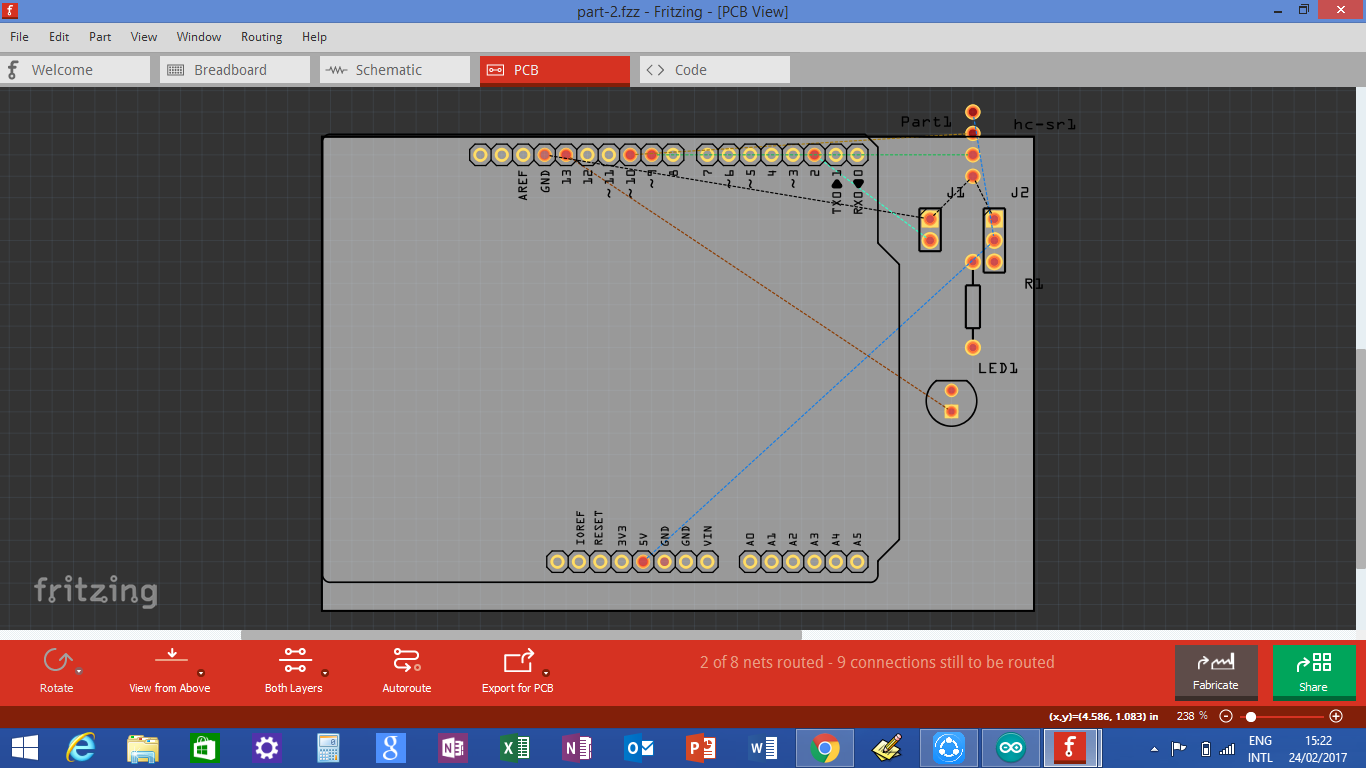
The circuit
The circuit
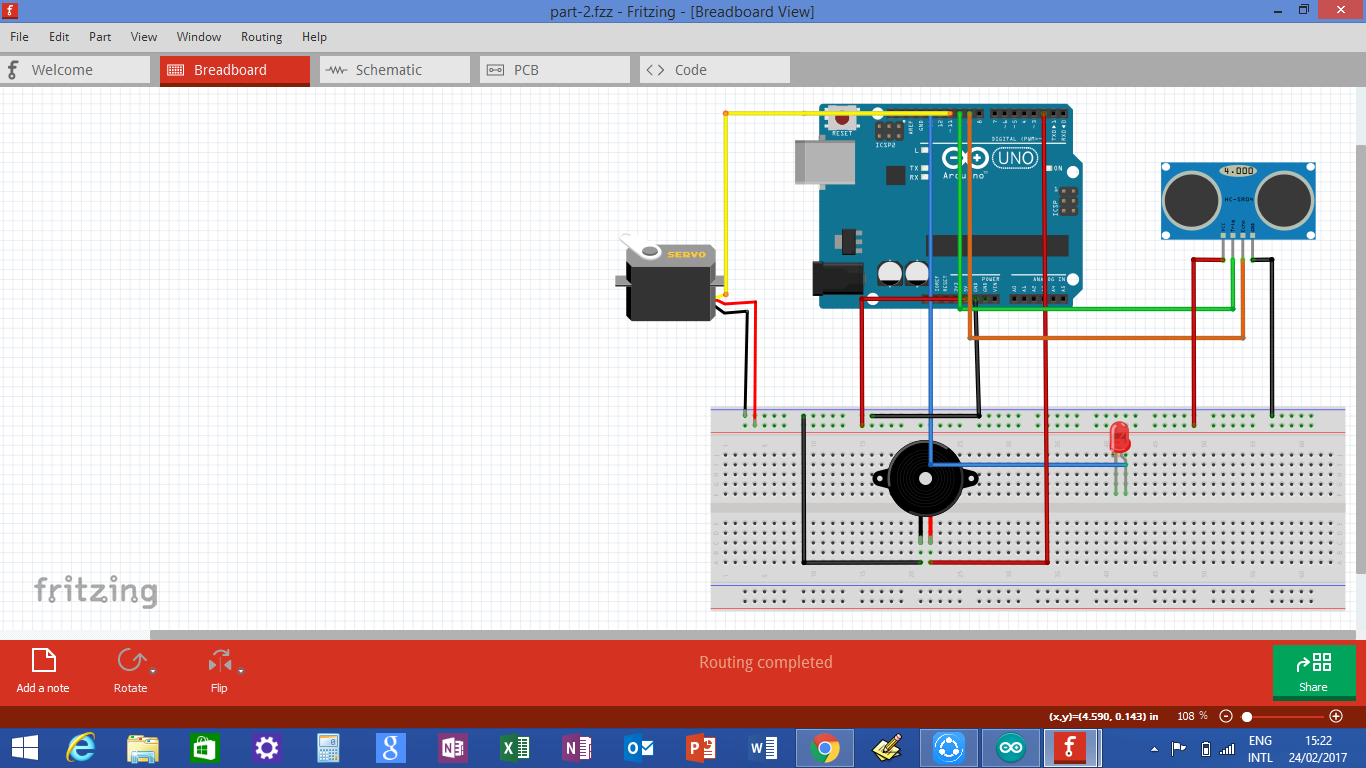
screenshot_(25)_PZi9RXqzbT.png
screenshot_(25)_PZi9RXqzbT.png
screenshot_(24)_1hq46ai1kk.png
screenshot_(24)_1hq46ai1kk.png

The circuit
The circuit
Comments
Only logged in users can leave comments