Stopwatch
Stopwatch with 16x2 LCD with reset and pause controls.
Components and supplies
1
Alphanumeric LCD, 16 x 2
1
Arduino UNO
1
Slide Switch
1
button
Project description
Code
Untitled file
c_cpp
1/*
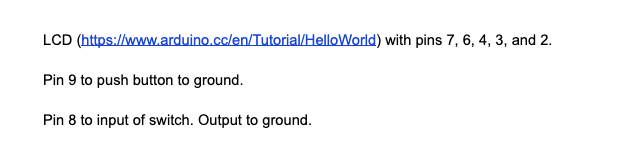
2 * 1. Wire the LCD with pins 7, 6, 5, 4, 3, and 2.
3 * 2. Pin  9 to button to gnd
4 * 3. Pin 8 to input of switch. Output to gnd
5
6 * Change  the spm variable to change the speed of the stopwatch for testing purposes.
7  */
8
9#include <LiquidCrystal.h>
10
11LiquidCrystal lcd(7, 6, 5, 4, 3, 2);
12int  sec = 0;
13int min = 0;
14int hour = 0;
15float spm = 60;
16int i = 0;
17String  secStr;
18String minStr;
19String hourStr;
20
21void setup() {
22  lcd.begin(16,  2);
23  // Print a message to the LCD.
24  pinMode(9, INPUT_PULLUP);
25  pinMode(8,  INPUT_PULLUP);
26  Serial.begin(9600);
27
28}
29void running() {
30  lcd.clear();
31
32  sec++;
33  if (sec == 60) {
34    min++;
35    sec = 0;
36  }
37
38  if  (min == 60) {
39    hour++;
40    min = 0;
41  }
42  ////////////////////////
43  if (sec < 10) {
44    secStr = "0" + String(sec);
45  }
46  else {
47    secStr  = String(sec);
48  }
49  ///////////////////////
50  if (min < 10) {
51    minStr  = "0" + String(min);
52  }
53  else {
54    minStr = String(min);
55  }
56  ///////////////////////
57  if (hour < 10) {
58    hourStr = "0" + String(hour);
59  }
60  else {
61    hourStr = String(hour);
62  }
63}
64void loop() {
65  lcd.setCursor(10, 0);
66  lcd.print(secStr);
67  lcd.setCursor(7, 0);
68  lcd.print(minStr);
69  lcd.setCursor(4, 0);
70  lcd.print(hourStr);
71  lcd.setCursor(6, 0);
72  lcd.print(":");
73  lcd.setCursor(9, 0);
74  lcd.print(":");
75  delay(spm);
76
77  if (digitalRead(9)  == LOW) {
78    running();
79  }
80
81  if (digitalRead(8) == LOW){
82    sec  = 0;
83    min = 0;
84    hour = 0;
85  }
86}
Untitled file
c_cpp
1/*
2 * 1. Wire the LCD with pins 7, 6, 5, 4, 3, and 2.
3 * 2. Pin
4  9 to button to gnd
5 * 3. Pin 8 to input of switch. Output to gnd
6
7 * Change
8  the spm variable to change the speed of the stopwatch for testing purposes.
9
10  */
11
12#include <LiquidCrystal.h>
13
14LiquidCrystal lcd(7, 6, 5, 4, 3, 2);
15int
16  sec = 0;
17int min = 0;
18int hour = 0;
19float spm = 60;
20int i = 0;
21String
22  secStr;
23String minStr;
24String hourStr;
25
26void setup() {
27  lcd.begin(16,
28  2);
29  // Print a message to the LCD.
30  pinMode(9, INPUT_PULLUP);
31  pinMode(8,
32  INPUT_PULLUP);
33  Serial.begin(9600);
34
35}
36void running() {
37  lcd.clear();
38
39
40  sec++;
41  if (sec == 60) {
42    min++;
43    sec = 0;
44  }
45
46  if
47  (min == 60) {
48    hour++;
49    min = 0;
50  }
51  ////////////////////////
52
53  if (sec < 10) {
54    secStr = "0" + String(sec);
55  }
56  else {
57    secStr
58  = String(sec);
59  }
60  ///////////////////////
61  if (min < 10) {
62    minStr
63  = "0" + String(min);
64  }
65  else {
66    minStr = String(min);
67  }
68
69  ///////////////////////
70  if (hour < 10) {
71    hourStr = "0" + String(hour);
72
73  }
74  else {
75    hourStr = String(hour);
76  }
77}
78void loop() {
79
80  lcd.setCursor(10, 0);
81  lcd.print(secStr);
82  lcd.setCursor(7, 0);
83  lcd.print(minStr);
84
85  lcd.setCursor(4, 0);
86  lcd.print(hourStr);
87  lcd.setCursor(6, 0);
88  lcd.print(":");
89
90  lcd.setCursor(9, 0);
91  lcd.print(":");
92  delay(spm);
93
94  if (digitalRead(9)
95  == LOW) {
96    running();
97  }
98
99  if (digitalRead(8) == LOW){
100    sec
101  = 0;
102    min = 0;
103    hour = 0;
104  }
105}
Downloadable files
stopwatch_KGo8agPyBq.png
stopwatch_KGo8agPyBq.png
Comments
Only logged in users can leave comments